
What Is a No-Code Website Builder, Really?
A no-code website builder is a platform that lets you design, build, and launch a website using a visual editor instead of writing HTML, CSS, or JavaScript. You drag elements onto a canvas, style them visually, connect a CMS, and hit publish. No terminal. No deployment pipeline. No arguing with webpack.
That's the short answer. Here's the longer one.
After a decade of writing React code, I found myself setting up a Webflow profile and deliberately hiding my JavaScript background. The market wanted visual builders, and I wasn't going to fight it. Sometimes the smartest business move is meeting clients where they are, not where you want them to be.
The no-code website builder market is expected to hit $3.6 billion by 2031. That's not a trend. That's an industry shift. But not every platform in this space is worth your time, and the differences between them matter more than most comparison articles let on.
I've built sites on most of these platforms (some for clients, some for my own projects, some out of pure curiosity). This isn't a list I assembled by reading feature pages. It's based on what I actually experienced when I had to ship something real.
Why No-Code Builders Won
The question isn't whether no-code builders are "good enough" anymore. They are. The question is why you'd choose one approach over another.
Here's what actually changed:
- Speed. A marketing site that takes a developer two weeks to custom-code ships in two days on Webflow or Framer. For most businesses, that difference is worth more than any technical advantage custom code provides.
- Cost. Hiring a React developer to build a 10-page business site is like hiring an architect to design a garden shed. You can, but you'll spend $15,000+ on something that could cost $2,000-$5,000 on a no-code platform.
- Maintenance. No dependencies to update. No security patches to apply. No server to manage. The platform handles all of it. For a small business owner, this alone justifies the monthly fee.
- Non-technical teams can edit. Your marketing team can update the homepage without submitting a ticket to engineering. If you've ever worked in a company where changing a button color requires a two-week sprint, you know how big this is.
Nobody has ever hired my agency because we use Webflow instead of WordPress. They hired us because we promised to solve a specific problem. The tool is a means to an end.
How I Evaluated These Platforms
Every "best of" list has criteria. Most of them are vague ("we looked at ease of use and features"). Here's what I actually care about when I'm picking a platform for a client project:
- Design control. Can I build exactly what the designer created in Figma, or am I fighting the platform's layout system?
- SEO flexibility. Custom meta tags, clean URLs, proper heading hierarchy, fast page loads, schema markup. Not "SEO-friendly" in the marketing sense. Actually good for search.
- CMS quality. Can non-technical people manage content without breaking the layout? Does it support relationships between content types?
- Performance. Page speed out of the box, without spending hours optimizing. Sites built on the platform should score 90+ on Google's PageSpeed Insights without heroic effort.
- Portability. Can you export your site and leave? Or are you locked in? This is the question most people forget to ask until it's too late.
- Pricing honesty. What does it actually cost once you need a custom domain, CMS, forms, and basic e-commerce? Not the starter price. The real price.
The 9 Best No-Code Website Builders in 2026
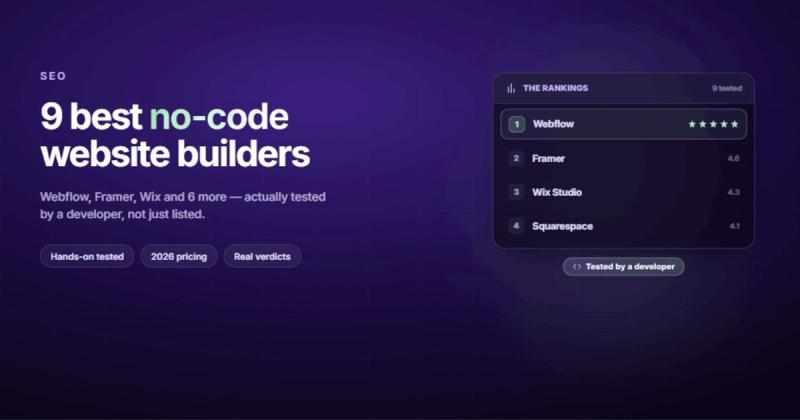
1. Webflow
Best for: Agencies, designers, and businesses that need full design control with real SEO capabilities.
Webflow is the closest thing to writing code without writing code. It generates clean, semantic HTML and CSS behind a visual editor that mirrors how the web actually works. You're not dragging widgets into slots. You're building with flexbox and grid, styling with real CSS properties, and creating interactions with a visual timeline.
The CMS is genuinely good. You can create custom content structures with reference fields, multi-image galleries, rich text, and conditional visibility. Your marketing team can update blog posts without touching the design. Your designer can change the layout without touching the CMS. Those two things staying separate is more important than most people realize.
If you're coming from Figma, the translation is almost 1:1. I've had design handoffs where the Webflow build was pixel-perfect to the Figma file in under a day. Try doing that with Wix.
The learning curve is real, though. Webflow assumes you understand how CSS layout works. If "flexbox" sounds like a fitness class, you'll need to invest time learning the basics first.
Pricing: Free to build. Basic site plan starts at $18/month. CMS plan at $29/month. E-commerce at $42/month.
Limitation: E-commerce is functional but not as deep as Shopify. If your entire business is selling products, Shopify will serve you better.
2. Framer
Best for: Designers who want stunning animations and modern sites with minimal fuss.
Framer started as a prototyping tool and evolved into a website builder that prioritizes visual polish. If your site needs to look like it was built by a design agency (scroll animations, micro-interactions, smooth page transitions), Framer gets you there faster than anything else.
I've written a full comparison between Framer and Webflow if you want the detailed breakdown, but the short version is this: Framer is better for portfolios and marketing sites where visual impact matters most. Webflow is better when you need a CMS, client handoff, or complex site architecture.
Framer's AI site generation feature is impressive for getting a first draft up fast. But "fast first draft" and "production-ready site" are different things. You'll still spend time customizing.
Pricing: Free plan available (with Framer branding). Mini plan at $5/month. Basic at $15/month. Pro at $30/month.
Limitation: The CMS is improving but still behind Webflow. Multi-language support exists but feels bolted on rather than native. And portability is a concern; you can't export your Framer site as clean code.
3. Wix
Best for: Small business owners who want to build their own site without hiring anyone.
Wix is the Honda Civic of website builders. It's not exciting, it won't win design awards, and developers love to make fun of it. But it works, it's affordable, and millions of real businesses run on it.
The template library is massive. The drag-and-drop editor is genuinely intuitive (non-designers can figure it out without a tutorial). And the app marketplace covers everything from booking systems to restaurant menus to event calendars.
The SEO capabilities have improved over the years. You get custom meta tags, URL control, auto-generated sitemaps, and basic structured data. It's not Webflow-level SEO control, but it's enough for a local business that just needs to show up in Google Maps and rank for their city + service.
Pricing: Free plan available. Light plan at $17/month. Core at $29/month. Business at $36/month.
Limitation: Performance. Wix sites tend to load heavier than Webflow or Framer sites because of all the JavaScript the platform injects. If page speed is critical for your business (and it should be), this is worth testing before you commit. You also can't export and move your site elsewhere. Once you're on Wix, you're on Wix.
4. Squarespace
Best for: Creatives, photographers, restaurants, and anyone who values beautiful templates over customization.
Squarespace has the best out-of-the-box templates in the industry. Pick one, swap in your content, and you'll have a site that looks professionally designed. No tweaking needed. That's both its strength and its ceiling.
If you've looked at Squarespace alternatives before, the reason is usually the same: you hit the customization wall. The templates look great, but bending them beyond their intended shape gets frustrating fast. You're working within a system, not building freely.
E-commerce on Squarespace is solid for small shops. Appointment booking, member areas, and digital product sales all work natively. For a yoga studio or a photographer selling prints, it's more than enough.
Pricing: Personal at $16/month. Business at $33/month. Commerce Basic at $36/month.
Limitation: Limited design freedom. You're customizing templates, not building from scratch. The CMS is adequate but rigid. And like Wix, you can't export your site.
5. Carrd
Best for: Single-page sites, landing pages, link-in-bio pages, and quick launches.
Carrd does one thing and does it well: one-page websites. If you need a landing page for a product launch, a personal portfolio, a link-in-bio page, or a simple coming-soon page, Carrd gets it done in under an hour for almost no money.
I've seen people try to stretch Carrd into a multi-page site. Don't. That's like using a screwdriver as a hammer. It works, technically, but you'll damage something.
Pricing: Free plan for basic sites. Pro at $19/year (yes, per year, not per month).
Limitation: Single-page only. No CMS. No blog. No e-commerce. It's a landing page builder, and it doesn't pretend to be anything more.
6. Dorik
Best for: Budget-conscious builders who want Webflow-like control without Webflow pricing.
Dorik is the underdog that keeps getting better. It offers a visual builder with decent design control, a CMS, membership features, and AI-assisted site generation. The interface feels clean and the learning curve sits somewhere between Wix (easy) and Webflow (steep).
For freelancers and small agencies on tight budgets, Dorik's lifetime deal makes it financially interesting. Pay once, use forever. That's a different equation than paying $29/month indefinitely.
Pricing: Free plan available. Starter at $6/month. Growth at $14/month. Lifetime deals available.
Limitation: Smaller community, fewer integrations, and fewer templates than the big players. If you run into an edge case, you might be on your own. The CMS is functional but not as mature as Webflow's.
7. Shopify
Best for: E-commerce businesses that need to sell products online, full stop.
Shopify isn't a general website builder. It's an e-commerce platform with a website builder attached. That distinction matters. If you're building a content site with a shop, look at Webflow or Squarespace. If you're building a shop with some content, Shopify is the answer.
Inventory management, payment processing, shipping labels, abandoned cart recovery, multi-currency support, tax calculations. Shopify handles the operational side of selling things online better than any other platform on this list. It's not even close.
Pricing: Basic at $39/month. Shopify at $105/month. Advanced at $399/month.
Limitation: The website builder part (themes, pages, blog) is mediocre compared to dedicated builders. Customizing Shopify's Liquid templates without code knowledge gets frustrating. And you'll pay transaction fees unless you use Shopify Payments.
8. WordPress + Elementor
Best for: People who want the WordPress plugin ecosystem with a visual builder on top.
This is the "technically no-code" option. WordPress itself requires some technical knowledge (hosting, updates, security), but Elementor's visual builder lets you design pages without code. Together, they give you the flexibility of WordPress with a drag-and-drop frontend.
I've written about Webflow vs WordPress in detail, but the summary is: WordPress + Elementor gives you more plugins, more flexibility, and more ways to break your site. Webflow gives you fewer options but a more cohesive, faster, more maintainable experience.
If you already have a WordPress site and want to add visual editing without migrating, Elementor makes sense. If you're starting from scratch in 2026, I'd recommend Webflow or Framer instead. WordPress's maintenance overhead isn't worth it for most new projects.
Pricing: WordPress is free. Elementor Pro starts at $59/year. You'll also need hosting ($5-30/month).
Limitation: WordPress needs updates, security monitoring, and hosting management. Plugin conflicts are real. I once accidentally deleted a production WordPress database AND its backup on the same day. If that doesn't convince you to think carefully about self-hosted platforms, nothing will.
9. Wix Studio
Best for: Agencies and freelancers who work within the Wix ecosystem.
Wix Studio is Wix's answer to Webflow's agency tier. It gives designers and developers more control than regular Wix: responsive breakpoints, custom CSS, advanced interactions, and a component-based workflow that feels closer to how real development works.
The client handoff workflow is smooth. You build the site, hand it to the client, and they can edit content through a simplified interface. For agencies managing multiple client sites, the centralized dashboard is useful.
Pricing: Free to design. Client site plans start at $17/month.
Limitation: It's still built on Wix's infrastructure, which means you inherit Wix's performance characteristics. The "Studio" branding suggests professional-grade tooling, but the output is still a Wix site under the hood.
Side-by-Side Comparison
| Platform | Best For | Starting Price | CMS | SEO | Export Code |
|---|---|---|---|---|---|
| Webflow | Design control + SEO | $18/mo | Excellent | Excellent | Yes |
| Framer | Animations + design | $5/mo | Good | Good | No |
| Wix | DIY small business | $17/mo | Good | Decent | No |
| Squarespace | Beautiful templates | $16/mo | Decent | Good | No |
| Carrd | Landing pages | $19/yr | No | Basic | No |
| Dorik | Budget Webflow alternative | $6/mo | Good | Good | No |
| Shopify | E-commerce | $39/mo | E-commerce focused | Good | No |
| WordPress + Elementor | Plugin flexibility | $5/mo + $59/yr | Excellent | Excellent (with plugins) | Yes (self-hosted) |
| Wix Studio | Agencies on Wix | $17/mo | Good | Decent | No |
When You Should NOT Use a No-Code Builder
Most "best no-code builder" articles skip this part. They shouldn't. No-code tools have real limitations, and pretending otherwise does you a disservice.
After 10 years of frontend development, I've built complex web applications with custom authentication flows, real-time data, role-based access control, and integrations with healthcare APIs. None of that would work on a no-code platform. The tool matters less than the problem.
Skip no-code builders when:
- You need custom business logic. If your app requires complex calculations, conditional workflows, or data processing that goes beyond "show this content to logged-in users," you need code.
- You're building a web application, not a website. Dashboards, SaaS products, internal tools, anything with user accounts and persistent data. That's web app territory. Bubble and Glide handle some of this, but for anything production-grade, code is still the answer.
- Performance is life or death. No-code platforms add overhead. For 95% of websites, this overhead is invisible. For high-traffic applications where every millisecond matters, you'll want full control over the stack.
- You need deep third-party integrations. If your site needs to talk to a proprietary API, process webhooks with custom logic, or sync bidirectionally with your CRM in real-time, you'll hit walls.
The honest answer is: no-code is perfect for marketing sites, content sites, portfolios, small e-commerce stores, and landing pages. That covers about 80% of what businesses actually need from the web. For the other 20%, write code.
No-Code vs. Low-Code vs. Custom Code
These three terms get mixed up constantly. Here's the actual difference:
No-code means you never touch code. Everything happens through visual interfaces. Wix, Squarespace, and Carrd are pure no-code. You get what the platform gives you.
Low-code means mostly visual, with the option to add custom code when you need it. Webflow falls here. You can build 95% of a site visually, then add custom JavaScript for that one interaction the visual editor can't handle. Framer and Dorik also fit this category.
Custom code means you're building from scratch. React, Next.js, Vue, whatever framework you prefer. Maximum control, maximum responsibility.
The smart move in 2026 is to start no-code and add code only where you need it. Build the marketing site in Webflow. Build the web app in Next.js. Connect them through your domain. You don't have to pick one approach for everything.
How to Choose the Right Builder
Stop comparing feature lists. Start by answering four questions:
- What type of site are you building? A 5-page business site, an e-commerce store, a portfolio, a SaaS marketing site, a blog? The answer eliminates half the list immediately.
- Who will maintain it after launch? If it's a developer, pick whatever gives the most control. If it's a marketing manager who doesn't know CSS from CMS, pick the easiest editor. The person who edits the site daily matters more than the person who builds it once.
- What's your SEO ambition? If organic traffic is a primary growth channel, you need a platform with proper SEO controls: custom meta tags, clean HTML output, fast page loads, and structured data support. If your traffic comes from ads or referrals, basic SEO is fine.
- Will you need to migrate later? If you're starting a business that might outgrow its first website, portability matters. Pick a platform that lets you export your content without starting from scratch. Webflow and WordPress let you export. Wix, Squarespace, and Framer don't.
My house is full of smart switches and cameras from three different ecosystems that refuse to talk to each other. Don't do the same thing with your web presence. Pick a platform you can grow with, or at least one you can leave without losing everything.
Frequently Asked Questions
What is a no-code website builder?
A no-code website builder is a platform that lets you create websites using visual drag-and-drop tools instead of writing code. You design directly in the browser, connect your domain, and publish. No programming knowledge required. Popular examples include Webflow, Wix, Squarespace, and Framer.
Are no-code website builders good for SEO?
It depends on the platform. Webflow produces clean HTML and gives you full control over meta tags, URLs, heading structure, and page speed, which is excellent for SEO. Squarespace and Framer are decent. Wix has improved but still lags behind on page performance. The platform sets the ceiling, but your content and marketing strategy determine how high you actually reach.
What's the difference between no-code and low-code?
No-code means everything is visual. You never see or write code. Low-code means mostly visual, but you can add custom code when needed. Webflow is technically low-code because it lets you inject custom HTML, CSS, and JavaScript. The distinction matters less than people think. Use visual tools until they're not enough, then add code for the specific thing that needs it.
Can I build an e-commerce store with a no-code builder?
Yes, but choose the right tool. Shopify is the strongest option for stores with serious inventory and shipping needs. Squarespace works for smaller shops (under 100 products). Webflow's e-commerce handles design-forward stores well. Wix covers basic selling. For complex e-commerce with thousands of SKUs, custom integrations, and multi-warehouse fulfillment, you'll likely need a dedicated platform or custom solution.
Can I add custom code if I need to?
Webflow, Framer, and Wix Studio all let you add custom HTML, CSS, and JavaScript. Squarespace allows limited code injection. Wix has a development platform called Velo for custom functionality. Carrd supports basic code embeds. If the ability to add code later is important to you, check the platform's code injection options before committing.
Will I be able to migrate my site to another platform later?
This varies wildly. Webflow lets you export clean HTML/CSS. WordPress is fully self-hosted, so you own everything. Wix, Squarespace, and Framer don't offer meaningful export options. Your content (text, images) can always be copied manually, but your design, layout, and CMS structure won't transfer. If portability matters, factor it into your initial platform choice.
How much does a no-code website builder cost?
Costs range from $19/year (Carrd) to $400+/month (Shopify Advanced). For a typical business site, expect $15-35/month for the platform, plus $10-15/year for a domain. The "hidden" costs are integrations: forms, analytics, email marketing, and scheduling tools can add $20-100/month. Always calculate the total stack cost, not just the builder price.
Are no-code websites reliable for long-term use?
The major platforms (Webflow, Wix, Squarespace, Shopify) have been around for 10+ years and serve millions of sites. They're not going anywhere. The risk isn't reliability. It's lock-in. If a platform changes its pricing, features, or direction, and you can't export your site, you're stuck. That's the real long-term consideration.
Comments