
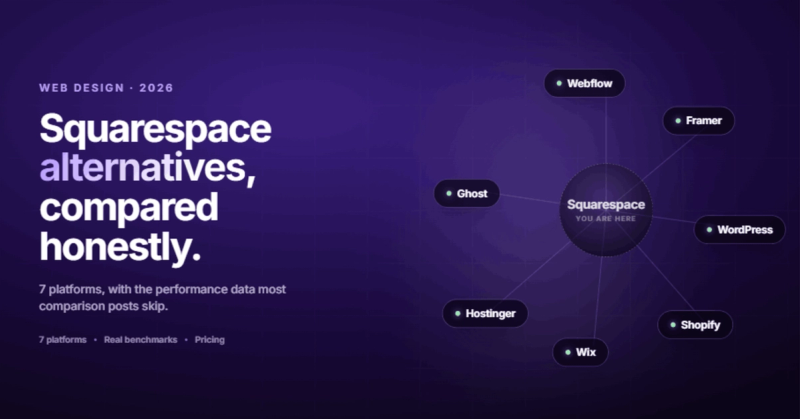
The Short Answer: Which Squarespace Alternative Should You Pick?
If you're looking for Squarespace alternatives, the best one depends on what frustrated you enough to start searching. For full design control without code limits, go with Webflow. For the easiest drag-and-drop experience with more templates, Wix. For serious e-commerce, Shopify. For total ownership and flexibility, WordPress. For the cheapest option that still works, Hostinger Website Builder.
That's the honest answer. But if you want to understand why each one wins in its category and which squarespace competitors actually deserve your attention, keep reading.
Why People Leave Squarespace (It's Not Just the Price)
Squarespace built its reputation on beautiful templates and an easy editor. And that reputation is deserved. Five years ago, if someone asked me "what should I use to build a website?", Squarespace would've been in my top two recommendations without hesitation.
But the market changed. Squarespace didn't change with it fast enough.
Here's what's actually pushing people to look for sites like squarespace that do things differently:
Performance is a real problem. Squarespace's typical Largest Contentful Paint (LCP) sits around 8.79 seconds on mobile. Google's threshold for "good" is 2.5 seconds. That's not a minor gap. That's your visitors seeing a blank screen for almost 9 seconds while your competitor's site loads in under 3. Every Squarespace site starts with an SEO disadvantage baked in.
The pricing keeps climbing. Squarespace restructured its plans with introductory rates that jump on renewal. Meanwhile, platforms like Cloudflare Pages, Vercel, and Netlify offer free hosting for the traffic levels most small business sites actually see. The value math has shifted.
Design freedom has a ceiling. You can make a Squarespace site look good. You can't make it look like anything you want. The editor gives you guardrails, which is helpful when you're starting out and limiting when you know what you need. Change your desktop layout and your mobile view breaks. Fix the mobile view and something else shifts. No autosave, so if your browser crashes mid-edit, you're redoing your work.
I've migrated a handful of clients off Squarespace over the past couple of years. The conversation usually starts the same way: "Our site looks fine, but it's slow, we can't customize the layout the way we need, and we keep hitting walls." That last part is what gets people searching for alternatives.
SEO control is limited. You get the basics. Title tags, meta descriptions, alt text. But try to add custom schema markup, control your heading hierarchy across dynamic pages, or implement structured data beyond the defaults? You're stuck. For businesses that depend on organic traffic, that ceiling becomes a real constraint.

Quick Comparison: 7 Squarespace Alternatives Side by Side
Before we get into the details, here's the overview. This table covers the factors that actually matter when you're doing a website builder comparison, not vanity features.
| Platform | Best For | Starting Price | Free Plan | E-commerce | Learning Curve |
|---|---|---|---|---|---|
| Webflow | Design control + CMS | $14/mo | Yes (limited) | Yes | Steep |
| Wix | Flexibility + ease | $17/mo | Yes | Yes | Easy |
| WordPress | Total ownership | $3-10/mo (hosting) | Self-hosted | Via WooCommerce | Moderate |
| Shopify | Serious e-commerce | $39/mo | No (3-day trial) | Built for it | Easy |
| Framer | Designers + devs | $15/mo | Yes (limited) | No | Moderate |
| Hostinger | Budget builds | $2.99/mo | No | Yes | Very easy |
| Ghost | Content + newsletters | $9/mo | Self-hosted | Memberships | Easy |
Now let's look at each one properly.
1. Webflow: For People Who Hit Squarespace's Design Ceiling
Why it wins
Webflow gives you the design freedom of custom code with a visual builder. No templates constraining your layout. No "you can't move that element there" moments. If you can design it, you can build it.
The CMS is genuinely powerful. Dynamic content, reference fields, conditional visibility, filtered collections. For content-heavy sites and B2B companies that need structured content across dozens of pages, it's in a different league.
Performance is noticeably better than Squarespace. Webflow sites are hosted on AWS and Fastly's CDN, and they consistently hit sub-2-second load times when built properly. That 8.79-second LCP problem? Gone.
Where it falls short
The learning curve is real. Webflow thinks in CSS. If you don't know what flexbox is, you'll spend your first week confused. It's not a weekend project for someone who's never touched web design.
That's exactly why Webflow agencies exist. The platform rewards expertise. A skilled Webflow developer can build things that would require a full custom codebase on any other platform. A beginner will produce something worse than what they'd get from Wix in half the time.
E-commerce is functional but limited compared to Shopify. Product variants, complex inventory rules, abandoned cart flows. Webflow can do simple stores. It's not built for 500-SKU catalogues.
Pricing
Free plan lets you build and prototype. Site plans start at $14/month for basic hosting, $23/month for CMS capabilities. E-commerce plans start at $29/month. The workspace plan for the visual editor is separate, which catches people off guard.
Best for
Businesses that need a unique design, strong SEO foundations, and a site that performs well. Agencies building for clients. Marketing teams who want to update content without calling a developer. If you left Squarespace because of design limitations, Webflow is where you end up.
2. Wix: The Easiest Switch From Squarespace
Why it wins
Wix is the path of least resistance. 900+ templates versus Squarespace's ~180. True drag-and-drop (not Squarespace's "drag within a section" approach). If you found Squarespace too rigid but don't want to learn a professional tool, Wix is the answer.
The app market is massive. Need a booking system? There's an app. Need a forum? App. Need an events calendar with ticketing? App. Squarespace has integrations, but Wix has an ecosystem.
Wix ADI (their AI site builder) can generate a working site from a few prompts. It's not going to win design awards, but for a local business that needs something online by Friday, it works.
Where it falls short
Code quality under the hood is messy. Wix sites carry a lot of JavaScript bloat, which hurts performance. You'll see better Core Web Vitals than Squarespace, but worse than Webflow or a custom WordPress build.
Once you pick a template, you can't switch it without rebuilding your site. That's the same problem Squarespace has (or used to have). It traps you in a design decision you made on day one.
SEO has improved dramatically, but advanced technical SEO is still limited. You're working within Wix's infrastructure, not your own.
Pricing
Free plan with Wix branding. Paid plans from $17/month (Light) to $159/month (Business Elite). The sweet spot for most small businesses is the Core plan at $29/month.
Best for
Small business owners who want the most features with the least technical learning. If you're comparing sites like squarespace for ease of use, Wix wins. If you need portfolio sites, restaurant sites, or service business sites, Wix templates will get you 80% of the way there immediately.
3. WordPress: The "Own Everything" Option
Why it wins
WordPress powers roughly 40% of the internet. That's not marketing fluff. It means every problem has been solved, every integration exists, and every developer knows it.
You own your site completely. Your hosting, your code, your data, your database. If Squarespace doubles their prices tomorrow, their users are stuck. If your WordPress host raises prices, you export your site and move it in an afternoon.
SEO capabilities are as deep as you want them to be. Between Yoast, Rank Math, and custom schema plugins, you have full control over every signal Google cares about. There's a reason most serious SEO strategies are built on WordPress.
Where it falls short
Maintenance. WordPress doesn't update itself (well, it does for minor releases, but plugins don't). Security patches, plugin conflicts, PHP version updates, database optimization. It's a living system that requires attention.
I once accidentally deleted a production WordPress database AND its backup on the same day. If that doesn't convince you to implement a proper backup strategy before switching to WordPress, nothing will.
The plugin ecosystem is both a strength and a weakness. Need a feature? There are 15 plugins for it. Which one is maintained? Which one is secure? Which one won't break when WordPress pushes a major update? You need to know what you're doing, or you need someone who does.
If you're looking for alternatives to wix or Squarespace because you want less complexity, WordPress is the wrong direction.
Pricing
WordPress itself is free. You'll pay for hosting ($3-30/month depending on traffic), a theme ($0-80 one-time), and probably a few premium plugins ($50-200/year each). Total cost for a typical small business site: $10-30/month all-in.
Best for
Businesses that want total control and don't mind the maintenance, or have a developer on call. Blogs, content-heavy sites, membership sites, and complex multi-author publications. If you're comparing this to Squarespace, you're trading convenience for power.
4. Shopify: When You're Actually Running a Store
Why it wins
Shopify is built for selling. Not "selling as a feature" like Squarespace or Wix offer. Selling as the entire point of the platform.
Abandoned cart recovery, 13,000+ apps, multichannel selling across Instagram, Facebook, Amazon, and TikTok. Point-of-sale for physical retail. Inventory management that actually scales. Payment processing with Shopify Payments (no transaction fees) or 100+ third-party gateways.
When someone asks me "what's the best squarespace alternative for my online store?", the answer is almost always Shopify unless they're selling fewer than 10 products.
Where it falls short
Content pages on Shopify are basic. Building a blog on Shopify is like building a store on WordPress. Technically possible, functionally painful. If your site is 70% content and 30% products, Shopify is the wrong tool.
Themes are more restrictive than you'd expect. The Liquid templating language has a learning curve, and customization beyond what the theme editor offers requires a developer. Squarespace actually gives you more design flexibility for non-store pages.
Cost adds up. The $39/month base plan is just the start. Most merchants end up spending $100-200/month on apps to get features that should be built in.
Pricing
Basic plan at $39/month. Shopify plan at $105/month. Advanced at $399/month. Plus the apps. Plus transaction fees if you're not using Shopify Payments. Budget accordingly.
Best for
Businesses where e-commerce is the primary function, not a side feature. If you're selling 20+ products, managing inventory, and need multichannel selling, stop comparing website builders. Shopify is the answer.
5. Framer: The Designer's Playground
Why it wins
Framer bridges the gap between design tool and website builder. If you're already working in Figma, Framer feels familiar. The animation and interaction capabilities are genuinely impressive, and sites built on Framer tend to feel polished in a way that's hard to achieve on other builders.
Performance is excellent. Framer generates static sites, so load times are fast. Pages score well on Core Web Vitals without any optimization effort.
We did a detailed comparison of Framer vs Webflow if you're torn between these two specifically. The short version: Framer is faster to learn, Webflow is more powerful for complex sites.
Where it falls short
No e-commerce. At all. If you need to sell anything, Framer isn't the tool.
The CMS is basic compared to Webflow or WordPress. For a 5-page marketing site, it's fine. For a site with hundreds of blog posts, case studies, and dynamic collections, you'll hit limits.
It's relatively new compared to the other squarespace competitors on this list. The community is smaller, the plugin ecosystem is thinner, and edge-case problems might not have Stack Overflow answers yet.
Pricing
Free plan with Framer branding. Mini plan at $15/month. Basic at $25/month. Pro at $45/month. Reasonable across the board.
Best for
Designers building portfolio sites, landing pages, or marketing sites where visual impact matters more than CMS depth. Startups that want a polished web presence without a full development project.
6. Hostinger Website Builder: Best on a Budget
Why it wins
At $2.99/month, Hostinger is the cheapest option on this list that doesn't feel cheap. The AI website builder generates a passable site in minutes. Templates are modern enough. The editor is straightforward.
For someone who needs a basic business website and has a limited budget, Hostinger removes the most common objection: cost. You get hosting, SSL, a free domain for the first year, and enough features to launch a functional site for less than a fancy coffee each month.
Where it falls short
You get what you pay for. Design customization is limited. The template library is smaller. SEO tools are basic. If your site needs to do anything beyond "here's who we are, here's what we do, here's how to contact us," you'll outgrow Hostinger quickly.
There's no free plan. It's cheap, but you're paying from day one. And the advertised price requires a multi-year commitment. Monthly billing is considerably higher.
Pricing
$2.99/month on a 4-year plan. $7.99/month on annual. $12.99/month on monthly billing. The sticker price requires a long commitment.
Best for
Local businesses, freelancers, and side projects that need a web presence without a big investment. If you're searching for the best website builder for small business on a tight budget, Hostinger is worth a look.
7. Ghost: For Publishers and Newsletter Creators
Why it wins
Ghost does one thing extremely well: content publishing with built-in monetization. Native membership billing, newsletter tools, and a clean writing experience that puts your content first.
If you're running a paid newsletter, a membership site, or a content-first publication, Ghost handles the business model out of the box. Squarespace added member areas as a feature. Ghost was built around the concept from the start.
Performance is exceptional. Ghost runs on Node.js and generates pages fast. No plugin bloat, no unnecessary JavaScript. Pages load quickly because there's nothing slowing them down.
Where it falls short
Ghost isn't a general-purpose website builder. Want a services page with a custom layout? A portfolio with filterable categories? A multi-section landing page? You're fighting the tool.
Themes are limited compared to every other option on this list. Customization beyond what the theme allows means editing Handlebars templates, which requires development knowledge.
Pricing
Self-hosted: free (you pay for hosting, ~$5-10/month). Ghost(Pro) managed hosting: $9/month for Starter, $25/month for Creator, $50/month for Team.
Best for
Bloggers, journalists, newsletter operators, and content creators who want to monetize through memberships and subscriptions. Not for businesses that need a traditional website.
What Nobody Else Tells You: Performance Actually Matters
Most "squarespace alternatives" articles skip this entirely. They compare templates, pricing, features. They almost never compare the thing that affects every visitor on every page load: speed.
Here's what real-world performance data looks like across these platforms:
| Platform | Typical Mobile LCP | Google's "Good" Threshold | Verdict |
|---|---|---|---|
| Squarespace | ~8.79s | 2.5s | Fails badly |
| Wix | ~4.5s | 2.5s | Needs work |
| Webflow | ~1.8s | 2.5s | Passes |
| WordPress (optimized) | ~1.5s | 2.5s | Passes |
| Shopify | ~3.2s | 2.5s | Borderline |
| Framer | ~1.4s | 2.5s | Passes easily |
| Ghost | ~1.2s | 2.5s | Fastest |
Performance isn't a nice-to-have. It's a ranking factor. It's a conversion factor. A site that loads in 1.8 seconds converts better than one that loads in 8.79 seconds. That's not an opinion. That's math.
If you're leaving Squarespace because your site feels sluggish, pay attention to this table. Not every alternative solves that problem.
SEO Control: The Hidden Differentiator
Most people don't switch website builders because of SEO. But they probably should.
The SEO capabilities of your platform determine how much organic traffic you can capture. Here's how the squarespace competitors stack up on the things that actually affect rankings:
- Custom schema markup: WordPress (full control), Webflow (via custom code embed), Ghost (via code injection). Squarespace, Wix, Shopify, Framer, and Hostinger give you limited or no schema control.
- URL structure control: WordPress and Webflow give you complete flexibility. Squarespace forces a category prefix on blog posts. Wix used to have terrible URLs (that hashbang era) but has improved.
- Page speed optimization: WordPress (with the right plugins) and Webflow give you the most control over performance. Squarespace and Wix handle optimization internally, which means you're stuck with their decisions.
- Heading hierarchy: Every platform lets you add H2s and H3s. But only WordPress and Webflow give you reliable control over the heading structure across dynamic template pages.
- Sitemap control: WordPress and Webflow let you customize sitemaps. Most builders generate them automatically with no way to exclude pages, set priorities, or add custom entries.
If organic search matters to your business, and for most businesses it should, this comparison matters more than template count.
How to Actually Choose (Stop Comparing Features)
Here's what I tell every client who asks me for a website builder comparison. Stop comparing feature lists. Start from what your site needs to do.
If your site is mostly content (blog, resources, documentation): WordPress or Ghost. Both handle large content libraries well. Ghost if you want memberships built in. WordPress if you need flexibility beyond content.
If your site is a marketing tool (landing pages, lead gen, brand presence): Webflow or Framer. Both produce fast, visually impressive sites. Webflow if you need CMS depth. Framer if you need to ship something beautiful quickly.
If your site is a storefront: Shopify. Don't overcomplicate this.
If your site needs to do a bit of everything (blog, services, contact, maybe a few products): Wix or Webflow. Wix if you want ease. Webflow if you want control.
If your budget is under $100/year: Hostinger or self-hosted WordPress on cheap hosting. Keep it simple, launch fast, upgrade when revenue justifies it.
Everyone wants to build the next AI-powered whatever for startups. Meanwhile, local businesses are still running sites that take 9 seconds to load. The boring problems are where the real opportunities are, precisely because nobody exciting wants to solve them.
Migrating From Squarespace: What to Watch Out For
Switching platforms isn't a weekend project. Well, it can be, but it shouldn't be if you care about keeping your search rankings intact.
Here's what a proper migration looks like:
- Export your content first. Squarespace lets you export blog posts as XML. Pages, product listings, and custom blocks don't export cleanly. You'll need to rebuild those manually or use a migration tool.
- Map your URLs. Every page on your Squarespace site has a URL. Every page on your new site needs the same URL or a 301 redirect from the old one. Skip this step and your organic traffic falls off a cliff. We've written about how to redesign without losing rankings if you want the full picture.
- Move your domain carefully. Update DNS records to point to your new host. Change nameservers if needed. Do this last, after your new site is fully tested.
- Check your forms, integrations, and third-party tools. Email marketing connections, analytics tracking, payment gateways. Anything that was connected to Squarespace needs to be reconnected on the new platform.
- Test on mobile. Seriously. Load your new site on an actual phone over cellular data. If it's not fast, fix it before you launch.
The most common migration mistake? Not setting up redirects. I've seen businesses lose 60% of their organic traffic overnight because nobody mapped the old URLs to the new ones. That traffic doesn't come back on its own. You have to earn it again.
Frequently Asked Questions
What is the best free Squarespace alternative?
Wix offers the most capable free plan among website builders. You get a functional site with Wix branding. Webflow also has a free tier that lets you build and prototype, but you can't use a custom domain without upgrading. For self-hosted options, WordPress is free and Ghost has a free self-hosted version, but you'll still pay for hosting.
Is Webflow better than Squarespace?
For design control, performance, and SEO flexibility, yes. Webflow gives you capabilities that Squarespace can't match. But Webflow has a steeper learning curve and requires more web design knowledge. If you want something you can set up in a weekend without any technical background, Squarespace is easier. If you want a site that performs well and looks exactly how you envision it, Webflow wins.
What is the cheapest alternative to Squarespace?
Hostinger Website Builder starts at $2.99/month on a long-term plan. Self-hosted WordPress on budget hosting runs $3-5/month. Both are significantly cheaper than Squarespace's $16/month starting price. Ghost's self-hosted option is free if you have your own server.
Can I move my Squarespace site to WordPress?
Yes. Squarespace has a built-in export tool that generates a WordPress-compatible XML file for blog posts. Pages, galleries, and products need to be recreated manually. The technical migration is straightforward. The tricky part is preserving your URL structure and setting up redirects so you don't lose search rankings.
Which Squarespace alternative is best for e-commerce?
Shopify, and it's not close. Squarespace has e-commerce features. Shopify is an e-commerce platform. The difference shows up in inventory management, multichannel selling, payment options, and the app ecosystem. If you're selling more than a handful of products, Shopify is the answer.
Is Wix better than Squarespace in 2026?
For most small businesses, yes. Wix has more templates, a more flexible editor, a larger app ecosystem, a usable free plan, and comparable pricing on paid plans. Squarespace still has an edge in template design quality, but Wix has closed that gap. The choice comes down to whether you value curation (Squarespace) or flexibility (Wix).
What is the best website builder for small business?
It depends on what your business needs. For a simple brochure site on a budget: Hostinger. For a flexible all-in-one: Wix. For a professional site with SEO in mind: Webflow (preferably with a professional web design behind it). For an online store: Shopify. The best builder is the one that matches your actual requirements, not the one with the longest feature list.
Do I need a developer to use Webflow?
Not technically, but practically it helps. Webflow is a professional tool with a professional learning curve. You can learn it yourself if you're willing to invest the time. Most businesses hire a Webflow developer or agency because the ROI on expertise is high: a skilled developer builds a better, faster site in less time than it would take to learn the platform from scratch.

Comments