
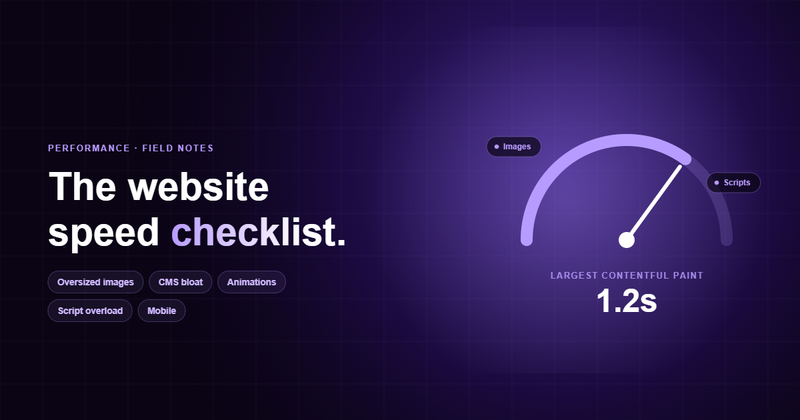
We've run speed audits on dozens of marketing sites by now, and the surprising part is how little variety there is in what's wrong. The same five things show up almost every time. None of them are exotic. All of them are fixable in an afternoon.
This is the checklist we actually run, in order. Work top to bottom and you'll fix most of your load time before you reach the clever stuff. Each item has the same shape: the symptom you'll see in a report, and the fix we'd ship.
One ground rule first: measure before you touch anything. Open PageSpeed Insights or run Lighthouse on a real page, and write down your Largest Contentful Paint (LCP) and Total Blocking Time (TBT). You can't tell what moved the needle if you never wrote down where the needle started.
Speed isn't a vanity metric
Every extra second of load time costs you conversions, and more on mobile than anyone expects. Slower pages also rank worse, because Core Web Vitals are a ranking input, and they get crawled less often. So this isn't a tidy-up job for a quiet week. It's ranking and revenue.
The targets worth hitting: LCP under 2.5s, Total Blocking Time under 200ms, Cumulative Layout Shift under 0.1. Hit those on a throttled mobile profile and you're ahead of most of your competitors.
1. Oversized images
This is number one for a reason: it's the single biggest payload on most pages, and it's almost always avoidable. A 3000px hero exported straight from Figma at full quality can be 4MB on its own. The browser has to download, decode and paint it before your LCP even registers. It's also the step developers skip most often, because image optimisation is work the client never sees.
- Symptom: Lighthouse flags "Properly size images" and "Serve images in next-gen formats". Your hero is a multi-megabyte PNG or JPG.
- Fix: Export at 2x the displayed size, no larger. Serve WebP or AVIF. Add explicit width and height so the layout doesn't shift, and lazy-load anything below the fold.
<img
  src="hero.avif"
  width="1280" height="720"
  loading="lazy"
  decoding="async"
  alt="Product dashboard" />

<!-- the above-the-fold hero should be eager,
     everything else lazy. Never lazy-load LCP. -->
One thing teams get backwards: never lazy-load the image that is your LCP element. Lazy-loading the hero delays the exact paint Google is timing. Lazy-load everything below it instead.
On Webflow there's an easy win here: it can compress your images to WebP with a single click in the asset panel. Use it.
2. CMS bloat (Webflow too)
Visual builders are wonderful until the generated DOM gets away from you. Webflow, WordPress with a page builder, Wix: they all tend to ship deeply nested div soup, a stylesheet for every interaction you've ever added, and jQuery you forgot was loading. The page works. It's just using a hundred kilobytes of CSS to render a single button.
- Symptom: A huge unused-CSS warning, a 4,000-node DOM, and jQuery loading on a page that doesn't need it. Style recalculations spike on scroll.
- Fix: Remove unused interactions and classes. Audit which embeds actually earn their weight. On Webflow, kill legacy jQuery-dependent interactions and flatten nesting where you can.
We're not anti-Webflow; most of our clients ship on it. The trap is treating the builder as if weight is free. It isn't. Every component you drop in carries CSS and sometimes JavaScript, and the platform won't strip what you don't use. Budget your DOM like you budget your images.
A fast site isn't one with clever tricks. It's one where nothing unnecessary ever loaded in the first place.
3. Too many animations
Scroll-triggered reveals, parallax, a library that watches every element entering the viewport. Each one is cheap alone and brutal in aggregate. The cost shows up as jank: the main thread is so busy recalculating layout that scrolling stutters and taps feel laggy.
- Symptom: High Total Blocking Time, a "Minimize main-thread work" warning, and visible stutter when scrolling on a mid-range phone.
- Fix: Animate only
transformandopacity(they skip layout). Cut animation libraries you're using for one fade. Respectprefers-reduced-motion. Cap how many animations run at once.
Most of the time we're just fading elements in and nudging them up a few pixels. You don't need a new JavaScript library for that.
4. Script overload
Open your tag manager and count. Analytics, a heat-mapper, a chat widget, two A/B tools, a cookie banner, three pixels. Each one is a render-blocking request and a chunk of main-thread parse time, and most of them have no business loading before the visitor has seen anything.
- Symptom: A long list of "Reduce unused JavaScript" and "Eliminate render-blocking resources" flags. Third-party scripts dominate the network waterfall.
- Fix: Add
deferorasyncto non-critical scripts. Load chat widgets and heat-mappers on interaction, not on load. Self-host fonts. Delete the tools nobody reads the dashboards for.
Half of these scripts were added for a marketing test a couple of years ago and never removed. A quick check with the marketing team on which campaigns are still running solves this in most cases.
5. Mobile nobody actually tested
Most of your traffic is on a mid-range phone on a flaky connection, and most of your QA happens on a fast laptop on office wifi. That gap is where slow sites hide. The desktop build feels instant; the mobile build ships the same giant hero, the same scripts, and a layout that reflows three times before it settles.
- Symptom: A big gap between desktop and mobile PageSpeed scores. High Cumulative Layout Shift. Tap targets under 44px. Fonts that swap and reflow late.
- Fix: Test on throttled "Slow 4G" in DevTools and on a real cheap Android. Reserve space for images and embeds to kill layout shift. Ship mobile-sized images with
srcset.
The cheapest win in this whole list is usually here: add width and height to every image and reserve space for embeds. Layout shift is the jankiest thing a mobile visitor feels, and fixing it is pure markup discipline. For the rest of the mobile side, the mobile SEO checklist goes deeper.
What we'd do first
If you only have an afternoon, do these three, in this order: compress and right-size the hero image, defer every non-critical script, and add explicit dimensions to all your images. Between them they move LCP, TBT and CLS, the three numbers Google weighs most, and none of them needs a design change.
Then re-run Lighthouse and compare against the numbers you wrote down at the start. Those three are usually the biggest single drop you'll see in mobile load time. Not bad for an afternoon.
Comments