
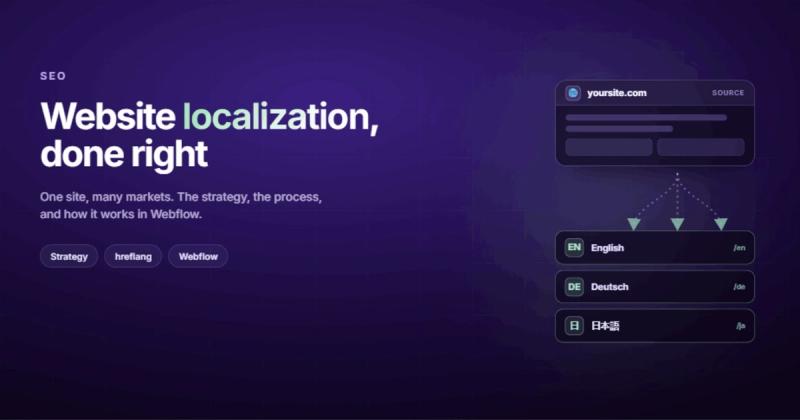
Running your English website through a translator and calling it international is like printing your menu in German and wondering why nobody in Munich orders the BBQ ribs. The words are right. Everything else is still American.
What Website Localization Actually Means (It's Not Translation)
Website localization is the process of adapting your website's content, design, and functionality for a specific market's language, culture, and expectations. Translation handles the words. Localization handles everything else: date formats, currencies, payment methods, imagery, color associations, legal requirements, and the dozens of small decisions that make a visitor feel like your site was built for them, not translated at them.
Here's a quick way to think about it. Translation is taking your English menu and printing it in German. Localization is taking your English menu, translating it, swapping the portion sizes to metric, replacing the BBQ section with a Wurst section, and accepting payment in euros. Same restaurant. Completely different experience.
Most guides throw three terms at you and call it a day, so here's the actual distinction:
| Term | What It Does | Scope |
|---|---|---|
| Translation | Converts text from one language to another | Words only |
| Localization (l10n) | Adapts content, design, and UX for a target market | Full experience |
| Internationalization (i18n) | Builds the technical foundation so localization is possible | Code and architecture |
Internationalization happens first (in development), localization happens second (when you expand), and translation is one piece of the localization puzzle. If you skip i18n and try to localize a site that was hardcoded in English with dates baked into templates and currencies in static text, you're going to have a bad time.
Why This Matters More Than You Think
There's a stat from CSA Research that gets cited in every localization article: 76% of consumers prefer to buy products in their native language. I've seen it repeated so many times that it almost lost its weight. But then I watched it play out firsthand.
I run a car accessories e-commerce store in Serbia, and when I checked the data, women were the majority of buyers. Every assumption I had about my audience was wrong. The numbers forced me to rethink everything from product descriptions to checkout flow. Localization is the same idea, scaled up: your assumptions about what works for "everyone" probably only work for one specific audience.
The business case is straightforward. If someone lands on your site and the prices are in the wrong currency, the date format looks foreign, or the copy reads like it was run through Google Translate during a lunch break, they're going to leave. They're not going to figure it out. They're going to find a competitor whose site feels like it was made for them.
And Google cares about this too. Properly localized pages with solid technical SEO signal relevance for regional queries. A German user searching for "Webdesign Agentur" should find your German page, not your English one with a translate widget bolted on top.
There's also the competitive angle. If your direct competitor localizes for the French market and you don't, they own that entire market's search visibility. You're not competing. You're not even visible. Localization isn't always about growth; sometimes it's about not ceding ground you can't afford to lose.
When You Actually Need to Localize (And When You Don't)
This is the section most localization guides skip because it doesn't sell software. But it matters.
You need a website localization strategy when:
- You're already getting traffic or inquiries from a non-English market
- You have the operational capacity to serve customers in that language (support, billing, fulfillment)
- Your competitors in that market have localized sites and you're losing deals because of it
- Your analytics show a specific country driving bounce rates well above your average
You probably don't need it when:
- You're chasing a market you haven't validated yet ("we should be in Japan" with zero evidence of demand)
- You can't actually serve those customers. A localized website that generates leads you can't follow up on in the prospect's language is worse than no localization at all. You're making promises your team can't keep.
- Your budget forces a choice between localization and fixing your core site. Fix the core site first. A mediocre website in five languages is five mediocre websites.
The honest test: look at your Google Analytics. Filter by country. If you see real traffic from a specific region with decent engagement but low conversions, that's your signal. Data beats guesswork.
The Website Localization Process: What Actually Happens
Every localization guide gives you "10 easy steps" like you're assembling IKEA furniture. The reality is messier. But here's the general flow, in the order that actually makes sense.
Step 1: Audit What You Have
Before you translate a single word, inventory your site. How many pages? How much content? What's hardcoded versus CMS-driven? Are your images text-free, or do you have "SALE" baked into banner graphics?
This audit determines your budget and timeline. I've seen companies quote localization costs based on word count alone and then discover that half their content lives inside images, PDFs, and video captions that nobody counted.
Step 2: Pick Your Markets (With Data)
Don't pick markets based on vibes. Look at where your existing traffic comes from, where your competitors are operating, and where there's actual demand for what you sell.
Google Analytics has a "Users by Country" report. Start there. If 12% of your traffic comes from Germany but your conversion rate for German visitors is half your US rate, that's a market worth localizing for. The traffic already exists; the experience is what's lagging.
Then validate before committing. Build one landing page in the target language, run some outreach, and see if there's a pulse. I tested three different niches with dedicated landing pages before picking one. The same approach works for localization: small experiment first, full commitment second.
Step 3: Set Up the Technical Foundation
This is the internationalization piece. Your site needs to support multiple languages at the code level before you start adding content. That means:
- Choosing a URL structure (more on this below)
- Setting up hreflang tags so Google knows which page serves which language
- Making sure your CMS can handle multilingual content without hacks
- Externalizing all text strings from your templates
If you're on Webflow, this is where tools like Weglot come in. If you're on a custom stack, you'll need an i18n library. Either way, do this before step 4 or you'll be retrofitting everything later.
Step 4: Translate and Adapt Content
Translation is the biggest chunk of work, but "adapt" is the key word. Your homepage headline that kills it in English might be culturally meaningless in Korean. Your case studies might reference companies nobody in the target market has heard of. Your tone might be too casual for a market that expects formality.
This is where you need native speakers who understand your industry, not just the language. A translator who knows SaaS terminology will handle your product page differently than a general translator who thinks "onboarding" refers to getting on a ship.
Don't forget your metadata either. Page titles, meta descriptions, alt text, Open Graph tags, and structured data all need localization. These are the things search engines and social platforms read first, and they're often the last things companies remember to translate. Your B2B web design might look perfect in German, but if the meta description is still in English, Google is sending mixed signals about who this page is for.
Step 5: Localize Beyond Text
Swap currencies, date formats, phone number formats, addresses, and units of measurement. Replace images that contain English text. Check that your forms accept local input formats (postal codes vary wildly between countries). Make sure your payment gateway supports local methods.
Step 6: Test With Real Users
Have native speakers actually use the localized site. Not just read it. Use it. Fill out forms, navigate menus, read error messages, complete a checkout. Every interaction point is a potential failure.
I learned this lesson building healthcare software for Irish GP practices. The domain complexity was staggering: prescription forms, drug interactions, allergy checks, Eircode validation. A single misplaced checkbox could have real consequences. Localization testing needs the same rigor. A date picker that shows MM/DD/YYYY to a European audience is a trust-killer. A phone number field that rejects valid local formats is a lead-killer.
Build a testing checklist for each locale: form submissions, checkout flows, error states, search functionality, and dynamic content like blog posts or product listings. Test on local devices and browsers too. Chrome might dominate in the US, but Samsung Internet has significant share in parts of Asia.
Step 7: Launch and Monitor
Don't flip the switch on all pages at once. Start with your highest-traffic pages, monitor for two weeks, fix issues, then roll out the rest. Set up region-specific analytics tracking from day one. You need to know if your localized pages are performing, not just that they exist.
URL Structure and the SEO Side of Localization
This is where the website localization process gets technical, and where a lot of companies make decisions they regret later.
You have three main options for multilingual URL structure:
| Approach | Example | SEO Impact | Maintenance |
|---|---|---|---|
| Subdirectories | example.com/de/ | Shares domain authority | Easiest |
| Subdomains | de.example.com | Treated as separate site | Moderate |
| Country-code TLDs | example.de | Strongest geo-signal | Most complex |
For most businesses, subdirectories win. They keep all your SEO authority consolidated under one domain. You don't need separate hosting, separate analytics properties, or separate link-building campaigns. The domain authority you've built carries over to every language version.
Country-code TLDs (example.de, example.fr) send the strongest signal to Google about which country a page targets, but you're essentially starting a new domain from scratch in terms of authority. That only makes sense for large companies with dedicated SEO teams per region.
Whichever you pick, hreflang tags are non-negotiable. Google's own documentation explains how these tell the search engine "this English page has a German equivalent here, and a French equivalent there." Without them, Google might index the wrong language version for a market, or worse, flag your translated pages as duplicate content.
A basic hreflang setup looks like this:
<link rel="alternate" hreflang="en" href="https://example.com/page" />
<link rel="alternate" hreflang="de" href="https://example.com/de/page" />
<link rel="alternate" hreflang="x-default" href="https://example.com/page" />
The x-default tag catches everyone who doesn't match a specific language. Don't forget it. Also, hreflang tags need to be reciprocal: if your English page points to German, your German page must point back to English. One-way hreflang is ignored by Google.
You also need a multilingual sitemap. Each URL in your sitemap should include xhtml:link elements pointing to all its language alternates. This is the belt-and-suspenders approach, and search engines appreciate it.
Translation: Human, Machine, or Both?
The "should I use AI translation?" question is the new "should I use AI for content?" Same answer, different context: it depends on what you're translating and who's reading it.
Here's how to think about it:
Machine translation (Google Translate, DeepL) is good for internal-facing content, support documentation, and high-volume pages where speed matters more than nuance. DeepL is significantly better than Google Translate for European languages. Neither is good enough for your homepage headline.
Human translation is what you want for anything customer-facing and high-stakes: landing pages, product pages, CTAs, error messages, and anything that needs to persuade or build trust. A native speaker catches cultural mismatches that no algorithm picks up.
The hybrid approach is what most smart companies actually do. Machine translate the bulk, then have human translators review and refine. This cuts costs by 40-60% compared to fully human translation while catching the worst machine errors. Tools like Phrase and Crowdin have built their entire platforms around this workflow.
One thing nobody tells you: the hardest content to translate isn't your 50-page documentation section. It's your 6-word CTA buttons, your navigation labels, and your error messages. Short strings have zero context for translators to work with, and they're the most visible content on your site. Budget extra review time for these.
Cultural Adaptation: The Part Everyone Underestimates
You translated every word on your site. Your hreflang tags are perfect. Your URL structure is clean. And your German visitors are still bouncing.
Why? Because your hero image shows a team of smiling Americans in a Silicon Valley office, your testimonials are from US companies nobody in Munich has heard of, and your pricing page says "$" with no mention of EUR.
Cultural adaptation goes deeper than language. Here's what to check:
- Images and photography. Do the people in your images reflect the target market? Stock photos of diverse American office workers don't read as "local" in Japan or Brazil.
- Color associations. Red means danger in the West and luck in China. White means purity in the West and mourning in parts of East Asia. Check your CTA button colors.
- Tone and formality. English marketing copy tends to be casual and punchy. German business culture expects more formality. Japanese content needs different levels of politeness depending on context.
- Social proof. Local testimonials and case studies from recognizable companies in the target market convert better than foreign ones, no matter how impressive.
- Legal requirements. GDPR for Europe, LGPD for Brazil, PIPA for South Korea. Your cookie banner, privacy policy, and data handling need to comply with local law, not just your home country's regulations.
Text expansion is the technical curveball that catches designers off guard. German text runs about 30% longer than English. Finnish and Dutch are similar. Your carefully designed navigation that fits perfectly in English might break in German. Your button that says "Buy" now says "Jetzt kaufen" and overflows its container. Build your layouts with expansion room from the start, or you'll be redesigning components for every language.
Localizing on Webflow (The Practical Angle)
Since we build most of our client sites on Webflow, here's the practical reality of localization on this platform.
Webflow has a native localization feature (launched in 2023) that lets you add languages directly in the Designer. You can translate static content, CMS content, and even adjust layouts per locale. It works through subdirectories (/de/, /fr/, etc.) and handles hreflang tags automatically. For straightforward multilingual sites, it's solid.
The alternative is Weglot, a third-party integration that layers translations on top of your existing site. Weglot detects all your content, machine translates it, and gives you a dashboard to review and edit translations. It's faster to set up than Webflow's native localization and handles dynamic content well.
How to choose between them:
- Use Webflow Localization if you need full design control per language (different layouts, different images per locale), you're building a new site, or you want everything in one platform.
- Use Weglot if you have an existing site you want to translate quickly, you don't need per-language design changes, or you want to start with machine translation and refine over time.
Both handle the technical SEO correctly (hreflang tags, language-specific sitemaps, subdirectory structure). The choice comes down to how much control you need over the localized experience versus how fast you want to launch.
One gotcha with Webflow's native approach: CMS-heavy sites with hundreds of collection items take real effort to localize because each item needs translation. If you have 200 blog posts and want to add German, that's 200 posts worth of translation work inside the Webflow editor. Weglot handles this more gracefully because it translates at the rendering layer.
What Website Localization Actually Costs
Nobody talks about this honestly, so here's a rough breakdown for a typical 20-30 page business website:
| Component | Cost Range (per language) | Notes |
|---|---|---|
| Professional translation | $2,000-$8,000 | Depends on word count and specialization |
| Technical setup (i18n, hreflang, URL structure) | $1,000-$3,000 | One-time, applies to all languages |
| Cultural adaptation (images, design tweaks) | $500-$2,000 | Often overlooked in budgets |
| QA and testing | $500-$1,500 | Native speaker review required |
| Ongoing maintenance | $200-$500/month | New content, updates, fixes |
So you're looking at roughly $4,000-$15,000 per language for the initial setup, plus ongoing costs. Weglot subscriptions run $150-$500/year depending on your plan, which covers the technical layer but not the human translation and cultural work.
The cheapest path that still works: use Weglot for machine translation, then pay a native-speaking freelancer to review and refine the customer-facing pages. Skip the internal documentation and blog archive for now. Focus your human translation budget on the pages that directly generate revenue: homepage, service pages, pricing, and contact.
Mistakes That Kill Localization Projects
After working on site migrations and localization setups, I keep seeing the same patterns.
Treating translation as localization. You can have perfectly translated text on a page that still feels completely foreign because the images, layout, social proof, and UX conventions don't match the target market. Translation is one ingredient. It's not the whole recipe.
Auto-redirecting based on IP. Don't force users to a language version based on their IP address. A German-speaking person in the US still wants German. A British tourist in France still wants English. Use IP detection to suggest a language, but always let users choose. A language picker in the header or a non-intrusive banner ("This site is available in Deutsch") is the right pattern.
Forgetting about localized SEO. Translating your English keywords into German isn't keyword research. People in different markets search for things differently. "Web design agency" might have high volume in English, but the direct German translation might lose to a completely different phrase that locals actually use. Do keyword research per market, from scratch.
Launching all languages at once. Start with one. Get the process right. Fix the bugs. Then add the next language. Every additional language multiplies your maintenance burden. If you launch five languages simultaneously, you'll have five sets of bugs to fix and no established process for fixing them.
Ignoring RTL layouts. Arabic, Hebrew, and Persian read right-to-left. This doesn't just flip your text. It flips your entire layout: navigation, forms, progress indicators, breadcrumbs. If you're targeting an RTL market, budget for a separate layout pass. CSS logical properties (margin-inline-start instead of margin-left) make this dramatically easier if you plan for it during i18n.
Not maintaining localized content. Your English site gets updated weekly with new blog posts, pricing changes, and feature announcements. Your German site... still shows last quarter's pricing. Stale localized content is worse than no localized content because it actively misleads users. If you can't commit to maintaining a language version, don't launch it. Every language you add is a maintenance commitment, not a one-time project.
Tools Worth Knowing About
The localization tool market is crowded. Here's what's worth your time, sorted by what they actually do well.
For translation management: Phrase (formerly Memsource) and Crowdin are the two heavyweights. Both support hybrid workflows where machine translation handles the first pass and human translators refine. Crowdin has a stronger developer focus with GitHub/GitLab integrations. Phrase is better for marketing teams. Lokalise sits between them and has a clean UI.
For Webflow sites specifically: Weglot is the path of least resistance. It plugs into your existing Webflow site with minimal setup, handles the technical SEO automatically, and gives you a translation management dashboard. Pricing starts around $150/year for smaller sites.
For WordPress: WPML is the established choice with the largest translation memory. Polylang is a lighter alternative if you don't need the full feature set. TranslatePress lets you edit translations directly on the frontend, which non-technical team members appreciate.
For custom-built sites: i18next (JavaScript), react-intl (React), and next-intl (Next.js) handle the i18n framework layer. Pair them with a translation management platform for the actual content workflow.
Whatever you pick, make sure it supports translation memory. This is a database of previously translated segments that auto-suggests when similar text appears again. It saves money over time as your content grows, because you're not paying to retranslate phrases that were already done.
How to Know If It's Working
You launched your localized site. Now what? Here's what to track:
Traffic by region. Are you seeing organic traffic growth from the target market? It takes 3-6 months for localized pages to gain traction in search engines, so don't panic in month one.
Bounce rate comparison. Compare the bounce rate on your localized pages against your original language pages. If the localized version has a significantly higher bounce rate, something is off. It's usually a translation quality issue or a cultural mismatch.
Conversion rate by language. This is the number that matters most. Are people on the localized site actually converting at a rate comparable to (or better than) the original? If traffic is up but conversions are flat, the localization is bringing people in but not convincing them to act.
Search visibility per market. Use Google Search Console's country filter to see how your pages rank in specific markets. Track impressions and clicks for your target keywords in each language. If impressions are growing but clicks aren't, your meta titles and descriptions might need work.
The ROI math is simple: compare the revenue from a localized market before and after localization, subtract the cost, and see if you're ahead. Most companies that localize properly see ROI within 6-12 months. Companies that rush it and skip the cultural work... take longer.
One metric that's easy to overlook: customer support tickets from localized markets. If your localization is poor, support volume from that region will spike. People email when they're confused. If support tickets from Germany tripled after your German launch, that's feedback your localization needs work, not that German customers are demanding.
Set up a monthly review for each localized market. Compare key metrics against both the previous month and the equivalent English pages. Localization isn't a launch-and-forget project. It's more like a website redesign: the launch is just the beginning of the real work.
Frequently Asked Questions
What is website localization?
Website localization is the process of adapting your website's content, design, and functionality for a specific market's language, culture, and expectations. It goes beyond translating text to include currencies, date formats, images, legal compliance, and UX conventions that match local user expectations.
How much does website localization cost?
For a typical 20-30 page business website, expect $4,000-$15,000 per language for initial setup, including professional translation, technical implementation (hreflang tags, URL structure), cultural adaptation, and QA testing. Ongoing maintenance runs $200-$500 per month per language.
What is the difference between website localization and translation?
Translation converts text from one language to another. Localization adapts the entire user experience: currencies, date formats, images, layout direction, legal requirements, payment methods, and cultural conventions. Translation is one component of localization, but localization covers everything that makes a site feel native to a specific market.
How long does it take to localize a website?
A straightforward 20-30 page site with one additional language typically takes 4-8 weeks from start to launch. That includes content audit, technical setup, translation, cultural adaptation, and testing. Complex sites with hundreds of CMS-driven pages or multiple target languages can take 3-6 months.
Does website localization help with SEO?
Yes. Properly localized pages with correct hreflang tags, localized keywords, and language-specific URL structures rank in regional search results. Google serves localized pages to users searching in that language. Without localization, you're invisible in non-English search markets. Building a proper website marketing strategy for each market amplifies the effect.
Should I use machine translation or human translators?
Use a hybrid approach. Machine translate the bulk content (documentation, blog archives, support pages), then have native-speaking human translators review and refine customer-facing pages (homepage, product pages, CTAs, checkout flows). This cuts costs by 40-60% while maintaining quality where it counts.
What URL structure is best for a multilingual website?
Subdirectories (example.com/de/, example.com/fr/) work best for most businesses. They keep all SEO authority under one domain, are easiest to maintain, and are supported by every major CMS and localization tool. Country-code TLDs (example.de) send the strongest geo-signal but require building domain authority from scratch for each one.
Comments