
Every SEO audit template I have ever downloaded had the same problem. Not that it was wrong. That it was too complete.
Two hundred rows. Seventeen tabs. A column for "Notes" that nobody ever fills in. You work through it for a day and a half, you hand over a document, and six weeks later not a single thing in it has shipped. The audit was correct. The audit was also useless.
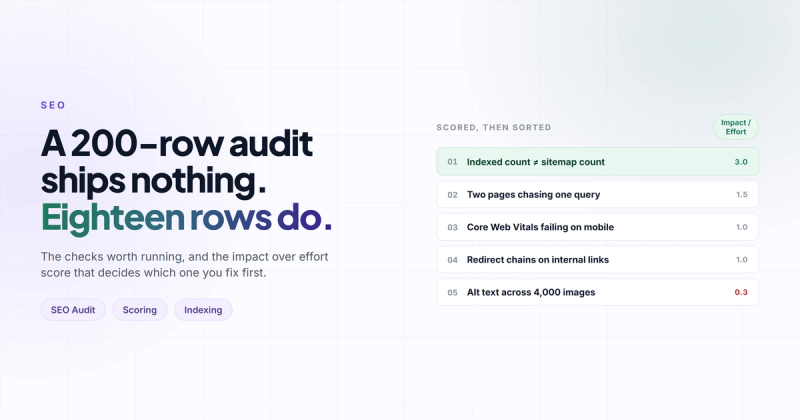
So this post is the SEO audit template I actually use on client sites, which is one page, eighteen checks, and a scoring rule that decides the order for you. You can copy it into a spreadsheet in about four minutes. There is nothing to download and no email to give me.
But before the template, the mechanism, because the mechanism is what makes the short version work better than the long one.
Why most SEO audit templates fail
An audit's output is not a list of findings. It's a queue of changes someone is going to ship.
That sounds like a small distinction. It isn't. The moment you accept it, half the rows in a typical template delete themselves, because they were never going to produce a change. "Check that image alt text is descriptive" across 4,000 product pages is not a change anyone will make. It's a sentence that makes the audit look thorough.
Completeness and action pull in opposite directions. A 200-row audit produces a document. A 20-row audit produces a sprint. If you have ever wondered why your last audit sits in a Drive folder doing nothing, that's the reason, and it was never a discipline problem on the client's side.
Go and look at what ranks for this query, by the way. Page one is mostly project management tools offering you a task board.
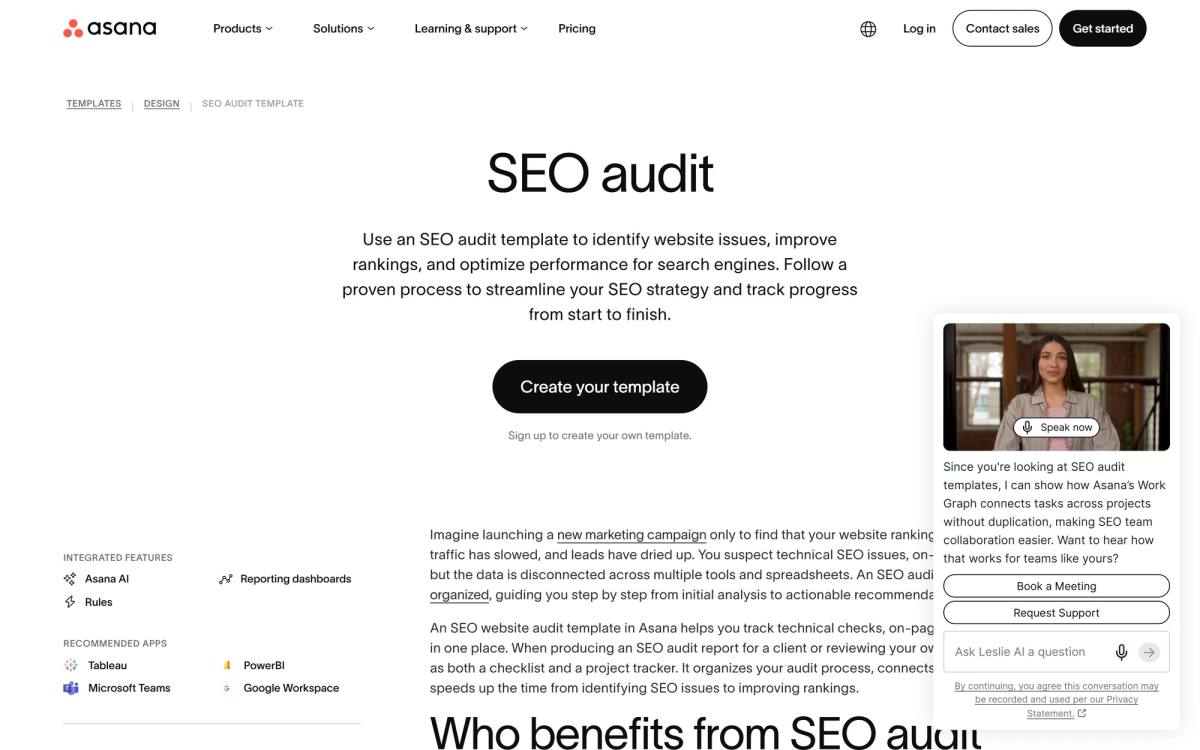
Nothing wrong with Asana. It's a good tool. But a task board is a container, and you still have to know what goes in it. That part is the actual work, and it's the part nobody gives away.
The SEO audit template
Five groups, eighteen checks. Copy this into a sheet and add four columns on the right: Pass/Fail, Impact, Effort, Owner.
The order of the groups matters. Indexing sits at the top because if Google can't crawl and index the page, every other row is theatre.
| # | Check | What a pass looks like | Where to look |
|---|---|---|---|
| 1 | Indexed pages match intended pages | Indexed count is within ~10% of your sitemap count | Search Console, Pages report |
| 2 | Nothing junk is indexed | No staging, filter params, tag archives or thin pages in the index | site: search, Pages report |
| 3 | Canonicals are self-referencing and correct | Each page points at the URL you actually promote | View source, or a crawl |
| 4 | robots.txt blocks nothing valuable | No Disallow covering money pages or CSS/JS | /robots.txt |
| 5 | Every money page has one target query | You can name it in four words without hedging | Your own sheet |
| 6 | No two pages chase the same query | One URL per query, no cannibalisation | Search Console, Queries by page |
| 7 | Title tag under 60 characters, query near the front | Not truncated in the SERP | Crawl, or the live SERP |
| 8 | Exactly one H1, and it matches the query | No decorative H1 on the logo | View source |
| 9 | The query is answered above the fold | A visitor gets the answer without scrolling | Load it on a phone |
| 10 | Depth is within 20% of the top three results | Not half their length, not triple | Word count the SERP |
| 11 | Three or more contextual internal links point in | From body copy, not just the nav | Crawl, inlinks report |
| 12 | No orphan pages | Every indexable URL is linked from somewhere | Crawl vs sitemap diff |
| 13 | Core Web Vitals pass on mobile field data | LCP under 2.5s, INP under 200ms, CLS under 0.1 | PageSpeed Insights |
| 14 | Mobile renders the same content as desktop | No content hidden or dropped on small screens | DevTools device mode |
| 15 | No broken links or redirect chains internally | Zero 404s, zero hops greater than one | Crawl |
| 16 | Structured data valid on each page type | No errors on one sample per template | Rich Results Test |
| 17 | Referring domains flat or growing | Not a visible cliff in the last 12 months | Any backlink tool |
| 18 | Brand search volume is holding | Branded impressions stable or rising | Search Console, 12 month view |
Check 18 is the one that gets left out of every template I have seen, and it's often the one that explains the whole picture. If branded search is falling, your traffic problem is a demand problem wearing an SEO costume. No amount of title tag work fixes that. Worth knowing before you spend three months on the wrong thing.
Run check 13 first if you only have ten minutes
Core Web Vitals is the only row where a single click gives you real numbers from real visitors rather than a lab simulation. Paste the URL into PageSpeed Insights and read the top panel.
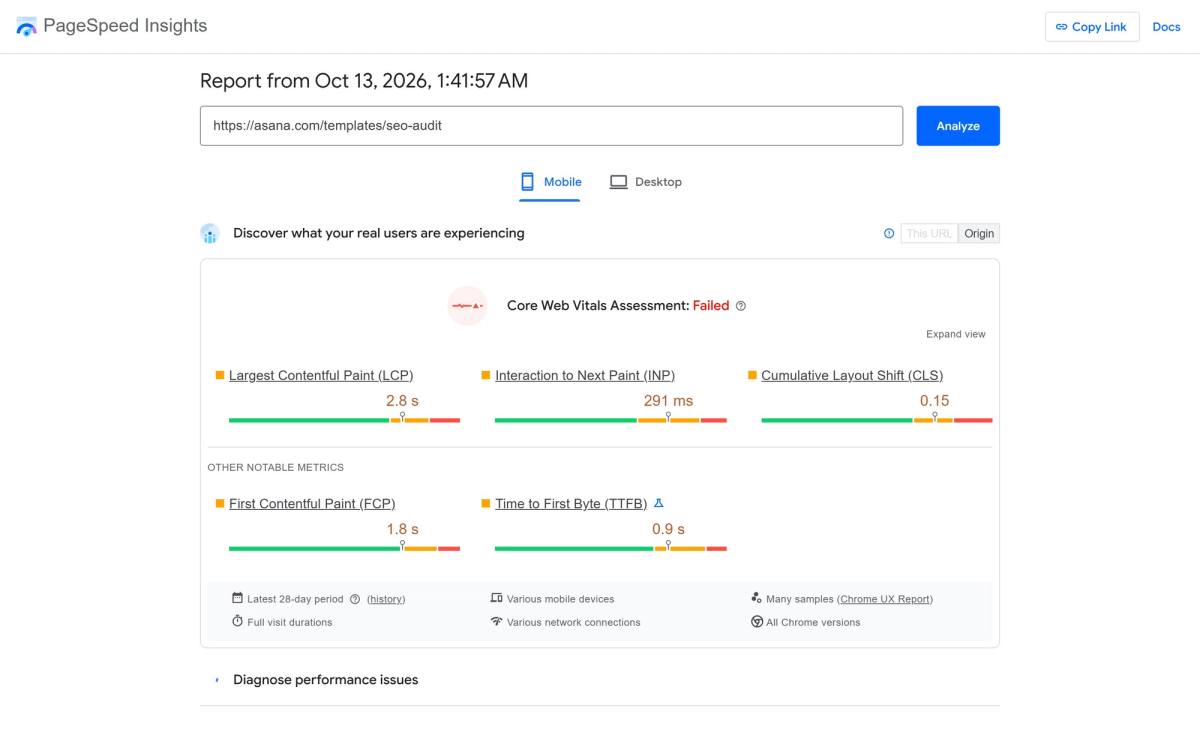
I'm not dunking on Asana here, and honestly a 2.8 second LCP is not a catastrophe. The point is that this took nine seconds to find and it produced a number, not an opinion. Three rows of your template filled in, with evidence attached, before you have opened a single other tool. Google's own Core Web Vitals documentation has the current thresholds if you want to check your own numbers against them.
How to score it so the order decides itself
Here's where the template earns its keep. Two columns, both scored 1 to 3.
Impact: 3 means this is costing you traffic or rankings right now. 2 means it will within a quarter. 1 means it's tidiness.
Effort: 1 means under an hour. 2 means a day. 3 means it needs a developer, a sprint, or a conversation with legal.
Then: Priority = Impact / Effort. Sort descending. That's it.
| Score | What it means | When it ships |
|---|---|---|
| 3.0 | High impact, one hour of work | Today, before you finish the audit |
| 1.5 to 2.0 | Real impact, real but contained effort | This sprint |
| 1.0 | Proportionate | Next sprint |
| Under 1.0 | Costs more than it returns right now | Backlog, revisit at the next audit |
The reason this works is not that the arithmetic is clever. It's that it moves the argument from the meeting to the sheet. Nobody has to defend why the canonical fix goes before the content refresh, because the numbers already said so, and both people agreed on the numbers before they knew what the ranking would be.
You will be tempted to add a third factor. Confidence, maybe, or strategic fit. Don't. The second you have three factors, the score stops being obvious and the meeting comes back.
Record the baseline before you change anything
One row at the top of the sheet, filled in before any fix ships: date, indexed page count, total clicks and impressions over the trailing 28 days, average position for your top five queries, and the Core Web Vitals verdict.
It takes four minutes and it is the difference between "I think that helped" and "that moved us from 14 to 6."
I once accidentally deleted a production WordPress database AND its backup on the same day. If that doesn't convince you to write down the current state before you touch anything, nothing will.
Same instinct, lower stakes. An audit changes a lot of things at once, and if you did not record where you started, you have no way of knowing which change did the work. You'll end up attributing the recovery to whatever you happened to do last.
Turning the template into a report someone reads
The audit sheet and the SEO audit report are two different artefacts and people keep conflating them. The sheet is the working document, eighteen rows, evidence in the cells. The report is one page and it exists to get a decision.
Four sections, in this order:
- The number. Where organic sits today versus twelve months ago. One sentence, one chart.
- The three things. Your top three by priority score, with the expected effect and the owner. Not ten. Three.
- The everything else. A link to the sheet. One line saying the remaining fifteen rows are scored and queued.
- What you need from them. Developer hours, a decision, access to something. Be specific about the ask.
If your report is thirty slides, the client reads slide one and the last slide, and you have spent two days writing twenty eight slides for nobody. I write these at one page now and the hit rate on actually getting the fixes approved went up, not down.
The checks I deliberately left out
Every omission here is deliberate, and a few of them will annoy people.
- Keyword density. Not a thing. Has not been a thing for roughly a decade.
- Meta keywords tag. Google ignored it in 2009 and has not changed its mind.
- Domain authority score. A third-party metric that no search engine uses. Useful for comparing two prospects, useless as an audit row.
- Alt text on every image sitewide. Real accessibility work, genuine value, but as an audit row it generates a thousand tasks and zero rankings. Fix it on templates, not on instances.
- Bounce rate. Measures nothing consistent since GA4 redefined engagement.
There's also a maintenance argument here. A template with 200 rows needs updating every time Google ships something. A template with 18 rows describing durable mechanisms (can it be crawled, does it answer the query, is it fast, do people link to it) survives algorithm updates, because those four questions have not changed since 2011 and are not going to.
Which brings up the thing that made me write this in the first place. The URL currently sitting near the top of page one for "seo audit template" does not have a template on it anymore.
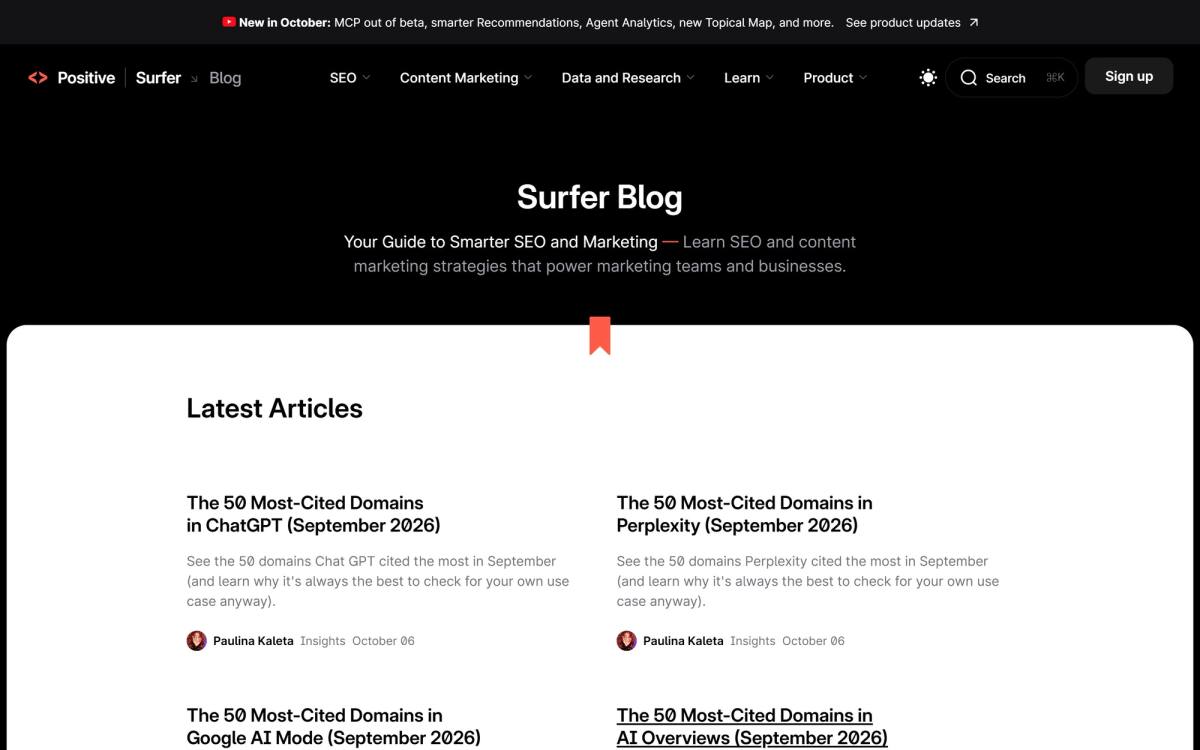
That's the strongest argument for owning your template rather than bookmarking someone else's. Posts get pruned. Tools get acquired. The sheet in your own Drive does not.
Running the thing, start to finish
Step 1: Set the scope
Pick the pages that matter, not all of them. For most sites that's the homepage, the top five service or product pages, and the five posts pulling the most organic traffic. Eleven URLs. If you audit 400 pages, you will audit none of them properly.
Step 2: Fill the automated rows first
Rows 13 through 16 come from tools and take about fifteen minutes total. PageSpeed Insights, a crawl, the Rich Results Test. Do these first because they're mechanical and they warm you up.
Step 3: Fill the judgement rows
Rows 5, 9 and 10 need you to actually read the page and look at the SERP. This is the slow part and it's also where the real findings come from. Budget an hour. Google's SEO starter guide is still the best reference on what they say they want, and it's worth rereading before you make a judgement call on intent.
Step 4: Score and sort
Impact, effort, divide, sort. Fifteen minutes. Do not do this while you are filling rows in, because you'll anchor on whatever you found first.
Step 5: Write the one page
Top three, the ask, the link to the sheet. Thirty minutes.
Total: about three hours for a site of normal size. If you are quoting this as a service, know that the three hours is the easy part and the hard part is the follow-up six weeks later when nothing has shipped. We cover that side of it in our SEO and AEO service, and the technical SEO audit breakdown goes deeper on the crawl-level rows than this template does.
When this template is the wrong one
This template assumes your problem is search visibility. Sometimes it isn't.
If the traffic arrives and then leaves, you want a CRO audit instead, because every row above can pass while the page still converts at 0.4%. If the problem is broader than search (messaging, structure, the whole site feeling wrong), the website audit checklist is the wider net. And if you're starting from nothing rather than diagnosing something, SEO for a new website is the right starting point.
Picking the right audit is itself a check. Running the wrong one thoroughly is worse than running the right one roughly.
Questions people actually ask
What should an SEO audit template include?
Indexing, on-page targeting, content depth, technical health, and off-page trend. Five groups is enough. Anything beyond that is either a subset of one of them or a task that will never get done. The columns matter as much as the rows: without impact and effort scoring you have a list, not a plan.
Is there a free SEO audit template?
The one above. Copy the table into Google Sheets, add the four columns, and you have it. Most "free" templates on page one cost you an email address and give you a project board without the checks in it.
What's the difference between an SEO audit template and an SEO audit report template?
The audit template is the working sheet where you record findings and scores. The report template is the one-page summary you send to whoever approves the work. Keeping them separate stops you from writing a thirty page document nobody opens.
How long does an SEO audit take?
About three hours with this template on a site of normal size, scoped to around ten URLs. A full enterprise crawl audit runs two to three weeks. The difference in output is not three weeks of value, it's three weeks of documentation.
How often should you run one?
Quarterly for most sites, and immediately after any migration or redesign. Running it monthly produces noise, because the things worth measuring do not move that fast.
Do you need paid tools to finish it?
Fourteen of the eighteen rows need only Search Console and PageSpeed Insights, both free. Rows 11, 12, 15 and 17 want a crawler and a backlink tool. The free tiers of most crawlers handle 500 URLs, which covers more sites than people expect.
Can I use this template for a client site I don't have access to?
Partially. Rows 1, 6 and 18 need Search Console, so they stay blank. You can still fill the other fifteen from the outside, which is usually enough to win the work. Just mark the blanks as blanks rather than guessing, because guessing is how you end up presenting a finding that isn't true.
Start with row one
Open a sheet right now and paste in the eighteen rows. Then do check 1, which takes about ninety seconds in Search Console.
If your indexed count and your sitemap count disagree by more than ten percent, stop reading and go fix that, because it's almost certainly costing you more than the other seventeen rows combined. If they agree, good. You just ruled out the single most expensive problem on the list, and you did it before finishing a coffee.
That's the whole point of a short template. It gets used.
Comments