
Somewhere right now, an SEO tool is telling a business owner that 143 of their backlinks are toxic. The number is red. There's a percentage next to it, and a button that says "disavow". It feels like a smoke alarm going off.
A link audit is a review of the links pointing at your website: where they come from, what they say about you, and whether any of them are a real problem. Done properly, it takes an afternoon. For most websites it ends with a few broken links fixed and no disavow file at all.
That last part is where most guides go wrong, so we'll start there.
What a link audit actually checks
Think of backlinks as recommendations. A link from a respected site in your industry is a friend who people trust telling them about your restaurant. They listen. Some of them come in for dinner.
Most of the other links you'll find in an audit are flyers. Your name pinned to a supermarket noticeboard, next to 300 other flyers for guitar lessons and lost cats. Nobody reads that board, and everybody knows it, including Google.
A full link audit covers three kinds of links:
- Backlinks, from other websites to yours. This is 90% of the work and the rest of this post.
- Internal links between your own pages. Broken ones and orphan pages belong in a website audit checklist rather than here.
- Outbound links from your site to others. Mostly a quick scan for dead links and anything you'd be embarrassed to vouch for (that casino link a previous agency added in 2019 counts).
The toxic score is the wrong place to start
Open the top three Google results for "link audit" and you'll notice something. All of them build their case around Google Penguin, the 2012 update that demoted whole sites for spammy links. The advice that follows is the same: find the bad links, email every webmaster asking for removal, then disavow the rest.
That was good advice in 2013. It's stale now, for two reasons.
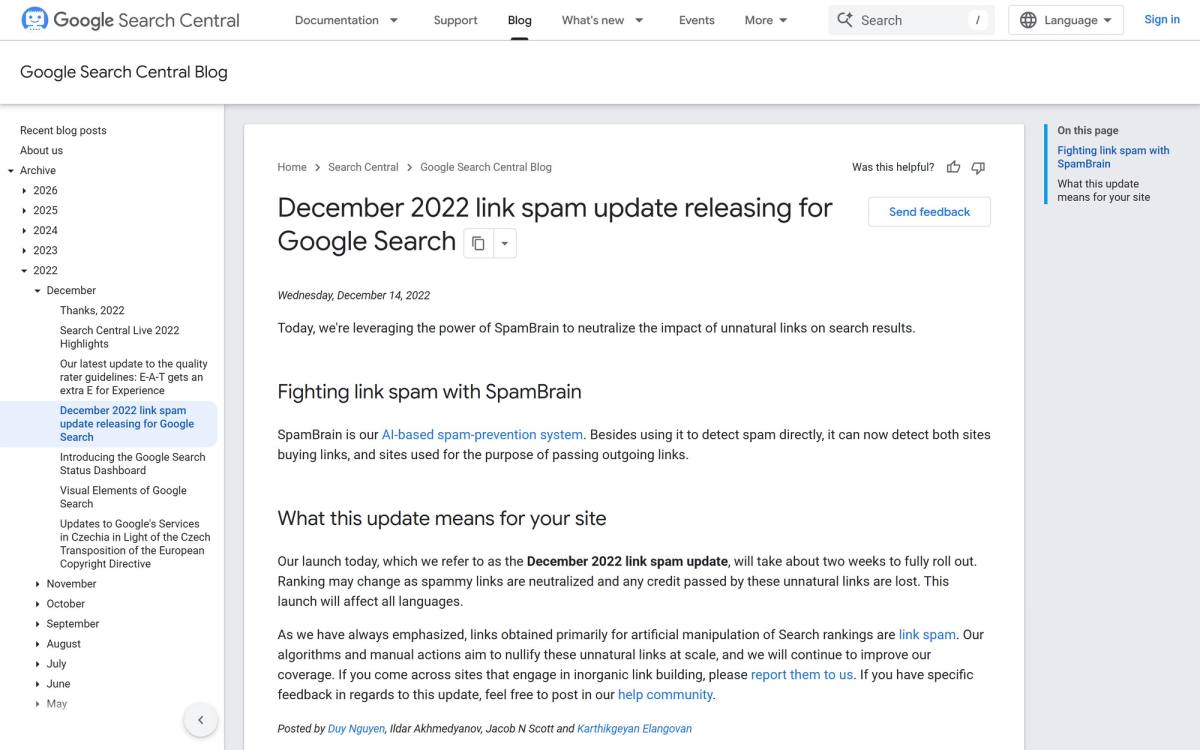
In September 2016 Google folded Penguin into its core algorithm and said it now "devalues spam by adjusting ranking based on spam signals, rather than affecting ranking of the whole site." Devalues. Not punishes. Then in December 2022 Google announced it was using SpamBrain, its AI spam system, to neutralize the impact of unnatural links.
Back to the noticeboard. Google doesn't fine your restaurant because someone pinned your flyer next to the lost cats. It just doesn't read the board.
So where does "toxic" come from? Not from Google. John Mueller, who has answered Google Search questions in public for over a decade, put it bluntly in a 2022 office-hours session: disavowing random links that some tool has flagged "is not a good use of your time." He's also said Google has no internal notion of toxic links at all. The score is a tool's guess, sold back to you with a red label (and a monthly subscription to keep watching it).
The score isn't useless. It's a decent way to sort a list of 2,000 domains so you look at the weird ones first. It just isn't a verdict.
How to do a link audit, step by step
Here's the process. It works for a five-page local business site and a 3,000-page blog, the second one just takes longer.
Step 1: Pull your links from two sources
Start with Google Search Console, under Links. It's free and it's the only data that comes from Google itself. You get top linked pages, top linking sites and top linking text, and the export menu gives you up to 100,000 rows of "latest links" or "more sample links".
Know its limits. Google's own documentation says the report is a sample, not every link you have, and the on-screen tables stop at 1,000 rows. It also won't tell you which links are nofollow.
So add one third-party link audit tool: Ahrefs, Semrush or Majestic. Pick whichever you already pay for. They crawl the web on their own and catch links Search Console leaves out of the sample. Two sources is enough. Five sources is a spreadsheet you'll never finish.
Step 2: Group by domain, not by URL
A site-wide footer link can show up as 4,000 backlinks from one domain. You make that call once. Merge both exports, dedupe by referring domain, and suddenly your list of 9,000 links is 340 domains. This is the step that turns a week into an afternoon.
Step 3: Judge each domain by real traffic, not its authority score
Domain authority, domain rating and trust flow all measure roughly the same thing: how many links a site has, weighted by how many links those sites have. It's a popularity contest among websites. It says nothing about whether humans read the page.
I learned how far apart those two numbers can drift in October 2026. A well-known marketing blog offered me a link insertion for $75, paid in advance. Before picking an article, I checked the numbers. Around 9,800 posts, most of them "refreshed" in the same week. An estimated 450 organic visits a month in the US. The top pages were about offline games and teen slang.
The site had a name I'd known for years and nearly 10,000 posts. Then I looked at the traffic: about 450 visits a month, mostly people searching for offline games. A backlink is only worth what the page it sits on is worth.
So for every domain on your list, look at estimated organic traffic and whether it's in your topic. A plumbing directory with real local traffic linking to a plumber is gold. A "business news" site with 40,000 posts and 200 visitors is a noticeboard.
Step 4: Read the anchor text
Search Console's top linking text shows the words other sites use to link to you. A healthy profile is mostly your brand name, your URL, and generic phrases like "their website" or "this guide".
What you're looking for is the opposite: dozens of links that all say "best emergency plumber Chicago" word for word. Nobody links like that naturally. If you see it, the next question is whether someone you hired built them.
Step 5: Find backlinks pointing at dead pages
None of the top three guides spend much time on this, and it's the step that most often makes money. Sort Search Console's top linked pages and check which ones now return a 404. Every one of them is a recommendation sending visitors to a locked door.
This happens constantly after a redesign or a platform switch, when URLs change and nobody maps the old ones. The fix is a 301 redirect from the dead URL to the closest live page, and it's the reason a proper CMS migration starts with a redirect map. You get the link equity back without sending a single outreach email.
Step 6: Ask who built the bad links
This is the only question that decides whether you need a disavow file. Spammy links that appeared on their own? Google is already ignoring them. Links you, a previous SEO agency, or a "200 backlinks for $49" gig paid for? Those are the ones that can earn a manual action.
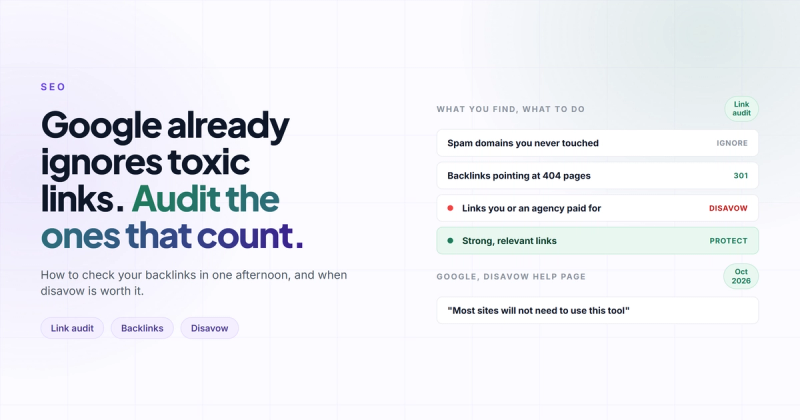
| What you find | What to do |
|---|---|
| Random spam domains you never touched | Nothing. Google already ignores them. |
| Links pointing at 404 pages | 301 redirect to the closest live page. |
| Strong, relevant links | Protect the linked page, link from it to pages you want to rank. |
| Links you or an agency paid for | Ask for removal, then disavow what's left. |
| A manual action in Search Console | Clean up, disavow, request reconsideration. |
When disavowing links is the right call
Google is unusually direct about this. The disavow links help page says "most sites will not need to use this tool", and you should disavow only when two things are both true: you have a considerable number of spammy, artificial or low-quality links, and they've caused a manual action or likely will.
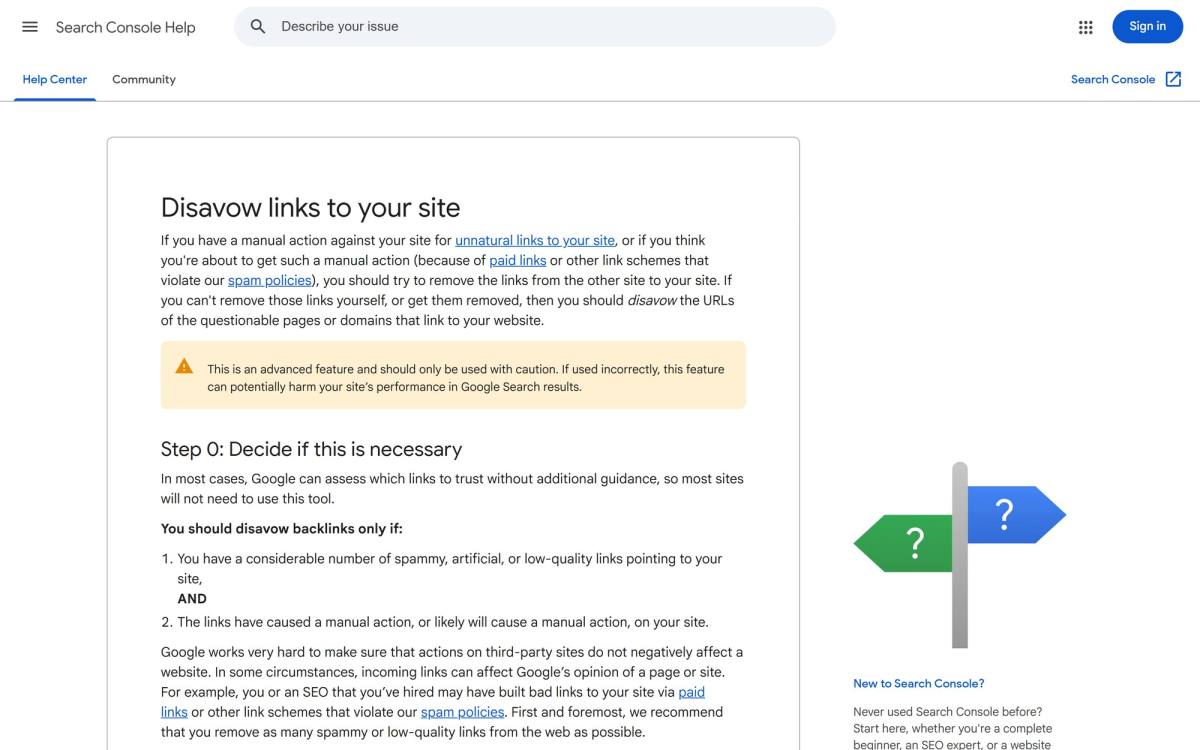
Note the warning box at the top. A tool that can "harm your site's performance" if used wrong is not something to run every quarter because a dashboard turned red. Disavow a good link by mistake and you've thrown away a real recommendation.
In noticeboard terms: disavow is for the flyers you paid someone to pin on every board in town. Those you have to own.
For the record, I do keep a disavow file for 2m-webstudio.com. When Semrush's backlink audit flags a domain that is plainly spam (not "low authority", actual spam), I add it to the existing file in Search Console and re-upload the merged list. I treat it as housekeeping, the way you'd take a stranger's flyer off your own front door. I don't expect rankings to move because of it, and I never add a domain just because its score is red.
If you do need one, the file is plain text, one URL or domain per line, saved as a .txt in UTF-8:
# Paid links from the 2023 campaign, removal requests ignored
domain:cheap-links-network.com
domain:seo-article-directory.net
https://random-blog.example/post-with-paid-link/
Use domain: for whole sites (almost always what you want), keep comments after a # so future you knows why, and upload it in Search Console. Google says it can take a few weeks to process as it recrawls the pages. The limit is 100,000 lines and 2MB, which you will not hit unless something has gone very wrong.
How often should you run a backlink audit?
Most guides say every three months. For a small business site, that's more often than anything changes (and conveniently matches a tool's billing cycle).
A calendar is the wrong trigger. These are the right ones:
- Rankings or organic traffic dropped and you can't explain it with content or a Google update.
- Search Console shows a manual action message. Audit the same day.
- You just migrated or redesigned, and old URLs might be 404ing.
- You hired, or fired, an SEO agency and don't know what they built.
- You're about to pay for a link or a guest post, and want to know what the target site is worth first.
Outside those, once or twice a year is plenty. If you want link checks bundled into a bigger review, a technical SEO audit usually covers redirects and indexing in the same pass.
The half of the audit everyone skips
Guides spend 80% of their words on bad links. The good links are where the work pays off.
Take your top linked pages. These are the pages other sites already trust. Add internal links from them to the pages you're trying to rank, and you pass some of that trust along for free. It's the closest thing SEO has to a free lunch.
Then run the same backlink export on two competitors. The domains that link to both of them but not to you are your shortlist for outreach. Those sites already link to businesses like yours, so they'll actually read your email (well, some of them).
Frequently asked questions
What is a link audit in SEO?
A link audit is a review of the backlinks pointing at your website, plus your internal and outbound links. You check where each link comes from, whether the linking site has real traffic, what anchor text it uses, and whether it points at a live page. The goal is to protect good links, fix broken ones and spot links you paid for.
Can toxic backlinks hurt my rankings?
Rarely, and not in the way tools suggest. Google says its systems neutralize unnatural links, so spam you didn't create is usually just ignored. The real risk is links you or an agency bought, which can lead to a manual action shown in Search Console.
Should I disavow links flagged as toxic by Semrush or Ahrefs?
Not because a tool flagged them. Google's John Mueller has said disavowing random flagged links changes nothing. Disavow only links you paid for or took part in, that you can't get removed, especially if there's a manual action.
What's the best free link audit tool?
Google Search Console. It's free, the data comes from Google, and the Links report exports up to 100,000 rows. It's a sample though, so pair it with one paid tool if you have a large site.
How long does a disavow take to work?
Google says it can take a few weeks, because it has to recrawl the pages that link to you before the file takes effect. If you're recovering from a manual action, you also need to submit a reconsideration request, which adds its own wait.
Does a new website need a link audit?
Not yet. A new site has too few links to audit, and the work is earning the first good ones. My own site, 2m-webstudio.com, launched in June 2026 on a brand-new domain with zero backlinks and had keywords at number one within a couple of months, built on foundations and content, not link cleanup. The steps in SEO for a new website matter far more at that stage.
Stop counting flyers
The red toxic number will be there next quarter. So will the next 143 junk links, because the internet produces them on its own, like mould. Google learned to stop reading that noticeboard years ago, and you can too.
Spend the afternoon on the links that matter: the 404s leaking recommendations, the pages other sites already trust, the competitors' links you could win. Then go earn one recommendation from someone people actually listen to. That's worth more than every disavow file you'll ever write.
If you'd rather have someone else run the audit and fix what it finds, that's part of our SEO service.
Comments