
You've been staring at your website for months thinking "this needs to change." Maybe conversions dropped. Maybe your competitor launched something that makes your site look like it was built during the Obama administration. Maybe your CEO walked in and said the words every web team dreads: "I saw a website I liked this weekend."
Here's the thing. Most website redesigns fail. Not because the new design is ugly, but because nobody stopped to figure out what was actually broken before they started rebuilding. A redesign without a diagnosis is cosmetic surgery on a patient who needs antibiotics.
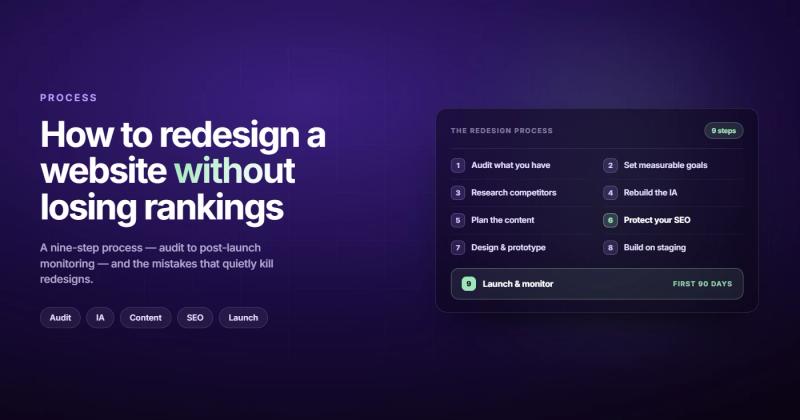
How to redesign a website: Start by auditing what's working and what isn't. Set measurable goals tied to business outcomes. Map your current content and URL structure. Redesign the information architecture before touching any visuals. Build in stages, test against real users, and protect your SEO rankings throughout the process. The whole thing takes 2-6 months depending on scope.
That's the short version. The rest of this post is the version that keeps you from wasting three months and $30,000 on a prettier website that performs worse than the one you had.
Do You Actually Need a Redesign? (Or Just a Refresh?)
Before you start a website redesign process, you need to answer one question honestly: is this a structural problem or a paint problem?
A refresh means updating visuals, swapping images, rewriting copy, maybe tweaking the layout. The bones stay the same. A redesign means rethinking the structure, navigation, content strategy, and often the tech stack. Different animals entirely.
| Signal | Refresh | Redesign |
|---|---|---|
| Site looks dated but still converts | Yes | No |
| High bounce rate on key pages | Maybe | Probably |
| Navigation confuses users | No | Yes |
| Mobile experience is broken | No | Yes |
| CMS is limiting your team | No | Yes |
| Brand identity has changed | Sometimes | Usually |
| Page speed scores below 50 | No | Yes |
I've seen companies spend six figures on a full redesign when all they needed was better copy on three landing pages. That's not smart spending. That's reflex spending.
If your site converts well but looks tired, refresh it. If the structure itself is fighting your users and your business goals, redesign it. Know which one you're doing before you write a single brief.
Step 1: Audit What You Actually Have
You can't fix what you haven't measured. Before sketching a single wireframe, pull the data on your current site.
Performance metrics to collect
Open Google Analytics (or whatever you're using) and look at the last 6-12 months. You want traffic trends by page, bounce rates on your top 20 pages, conversion rates by traffic source, and page speed scores. Don't just look at the homepage. The pages that actually matter are the ones where people decide to buy, sign up, or leave.
Run a content audit while you're at it. Export every URL. Mark each one as keep, update, merge, or kill. I promise you have pages from 2019 that nobody has visited since 2020. Those aren't assets. They're dead weight dragging down your crawl budget.
"I once spent two weeks building a custom animation system for a client's homepage. Silky smooth. Perfectly timed. The client's actual customers were on 4G connections in rural areas. Nobody ever saw the animations. They bounced before the page finished loading. That's when I stopped designing for my own internet connection."
Your audit should include technical health too. Broken links, missing alt text, orphaned pages, redirect chains. Tools like Screaming Frog or Semrush's Site Audit can do this in minutes. Fix the obvious stuff before the redesign. Some of those "design problems" are actually technical problems wearing a disguise.
Step 2: Set Goals That Aren't "Make It Look Modern"
"We want a modern, clean website" is not a goal. It's an aesthetic preference. And it's what every redesign brief in history says.
Real goals have numbers attached. "Increase demo requests by 30% in Q1." "Reduce bounce rate on pricing page from 72% to under 50%." "Cut page load time below 2 seconds." These are goals you can actually measure after launch.
Write down three to five goals. Make them specific. Make them measurable. And make sure at least one of them connects directly to revenue, because that's the conversation you'll have with leadership six months from now when someone asks "did the redesign work?"
If you skip this step, you'll end up evaluating the redesign based on vibes. "It feels better" isn't a metric. Your website strategy should drive every design decision, not the other way around.
Step 3: Research Your Competitors (But Don't Copy Them)
Look at your top five competitors' websites. Note their navigation structure, how they present pricing, where they place CTAs, and what content they publish. This isn't about copying. It's about understanding what your target audience already expects when they visit a site in your space.
There's a difference between competitive research and competitive mimicry. If every competitor has a mega-menu with 47 links, that doesn't mean you need one too. Maybe they're all wrong. Maybe there's an opportunity in being simpler.
Pay attention to what they're NOT doing. Are none of them addressing a specific pain point? Is their content all surface-level marketing fluff? That gap is your opening. The Nielsen Norman Group recommends competitive usability evaluations as a standard part of any redesign process, and they're right. Understanding what works (and what frustrates users) on competitor sites saves you from repeating their mistakes.
Step 4: Redesign Your Information Architecture First
This is where most redesigns go sideways. Teams jump straight to visual design because it's fun. Typography, color palettes, hero image debates that last three meetings. Meanwhile, the sitemap is a mess and nobody has figured out what the primary navigation should actually contain.
Information architecture (IA) is the skeleton. Everything else hangs on it. Get it wrong and no amount of visual polish will save you.
What to do
Map out every page your new site needs. Group them logically. Define the primary navigation (5-7 items max). Decide your URL structure. Build a sitemap that makes sense to users, not just to your internal team. Remember: your users don't know (or care) about your org chart. Don't structure navigation around departments.
This is also when you build your website redesign project plan. Map out phases, assign owners, set deadlines. A redesign without a project plan is a redesign that takes twice as long and costs twice as much. I've seen it happen enough times to call it a pattern, not a coincidence.
Step 5: Fix Your Content Before You Design Around It
Here's a dirty secret about web design: most "design problems" are actually content problems. The layout looks cluttered because there are 400 words of copy where 80 would do. The page feels confusing because there are three competing CTAs. The hero section doesn't "pop" because the headline says nothing specific.
Write your content first. Then design around it. Not the other way around.
This means rewriting headlines that actually say what you do. Cutting pages that exist only because someone important asked for them in 2021. Creating new content for gaps you found during the audit. Every page should answer one question: "why should I care?"
If you design first and fill in content later (the infamous "lorem ipsum approach"), you'll end up with a beautiful site that says nothing. I've seen agencies deliver stunning mockups where every headline is a placeholder and every paragraph is vague enough to apply to any company in any industry. That's not design. That's decoration.
Step 6: Protect Your SEO Rankings (This Is Non-Negotiable)
This is the part where redesigns destroy businesses and nobody saw it coming. You launch a beautiful new site, pop the champagne, and three weeks later organic traffic has dropped 40%. I wrote an entire post about redesign SEO because it happens so often.
If you want to redesign a website without losing SEO, here's the non-negotiable checklist:
- Map every existing URL to its new URL. Every single one. Export your sitemap, your Google Search Console data, and your analytics. If a URL changes, it needs a 301 redirect. No exceptions.
- Preserve your title tags and meta descriptions on pages that already rank well. If page 1 isn't broken, don't fix it.
- Keep your internal linking structure. If you had 200 internal links pointing to a key page and the redesign drops that to 12, you've just told Google that page isn't important anymore.
- Don't change URLs unless you have a strong reason. Every URL change is a risk. Even with proper redirects, you lose some link equity.
- Submit your new sitemap to Google Search Console on launch day.
- Monitor Search Console weekly for the first two months after launch. Watch for crawl errors, indexing drops, and ranking changes.
This isn't optional. Your SEO checklist should be part of the redesign project plan from day one, not an afterthought bolted on during QA.
Step 7: Design, Prototype, Test
Now you can open Figma.
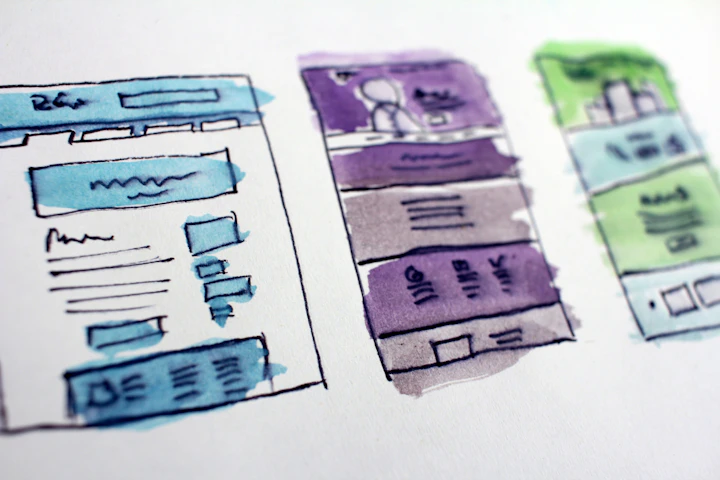
Start with wireframes. Low-fidelity, no colors, no images. Just boxes and text. This forces everyone to focus on layout and hierarchy instead of arguing about whether the brand blue is too dark. Wireframes are cheap to change. Fully designed pages are expensive to change. Do the cheap version first.
Once wireframes are approved, move to high-fidelity mockups. Then build an interactive prototype and test it with real users. Not your team. Not your CEO's spouse. Actual people from your target audience.
You'll discover things in testing that no amount of internal review would catch. "I didn't know that was a button" is something you want to hear in testing, not after launch.
Mobile first. Always.
Design for mobile screens first, then scale up. Not because it's trendy, but because more than half of web traffic is mobile and Google uses mobile-first indexing. If your mobile experience is an afterthought, your rankings will reflect that.
Step 8: Build on a Staging Environment
Never build a redesign on your live site. Use a staging environment where you can break things, test things, and iterate without affecting your current traffic or conversions.
This is also where technical decisions get made. Platform choice matters. If your current CMS is fighting you, now is the time to switch. If you're considering Webflow, WordPress, or something else entirely, base the decision on your team's actual capabilities, not on what's popular on Twitter this week.
During development, run your website redesign checklist constantly:
- Are all redirects configured?
- Is schema markup in place?
- Do forms work and submit to the right places?
- Is analytics tracking installed correctly?
- Are page speeds acceptable on mobile?
- Does the site work on Safari? (It never works on Safari the first time.)
Get a second pair of eyes on everything. The developer who built it is the worst person to QA it. They'll subconsciously avoid the paths they know are fragile.
Step 9: Launch Is Not the Finish Line
Most teams treat launch day like a graduation. It's not. It's day one of finding out whether your decisions were right.
Pre-launch
Do a full crawl of the staging site. Check every redirect. Test every form. Run Lighthouse on your top 10 pages. Verify that your sitemap is clean and your robots.txt isn't accidentally blocking half the site. Pick a launch day that's early in the week (never Friday) so you have time to fix problems while people are at their desks.
Post-launch monitoring
For the first two weeks, check daily: organic traffic, crawl errors in Search Console, conversion rates, page speed, and broken links. Compare everything against your pre-launch baseline. If organic traffic drops more than 10%, investigate immediately. Don't wait for it to "settle."
Week 3-4: Analyze user behavior on key pages. Are people finding what they need? Are conversion paths working? Use heatmaps and session recordings to watch actual users navigate your new site.
Month 2-3: Run A/B tests on pages that aren't hitting their targets. This is where the real optimization happens. The redesign gave you a new baseline. Now improve on it.
How Long Does a Website Redesign Take?
Depends on the scope. But here are realistic timelines based on what I've actually seen, not what agencies promise in pitches:
| Site Size | Scope | Realistic Timeline |
|---|---|---|
| Small (5-15 pages) | Full redesign | 4-8 weeks |
| Medium (15-50 pages) | Full redesign | 2-4 months |
| Large (50-200+ pages) | Full redesign | 4-8 months |
| Enterprise (200+ pages) | Full redesign + migration | 6-12 months |
If an agency tells you they can redesign your 100-page site in three weeks, they're either cutting corners or redefining what "redesign" means. A proper website redesign process takes time because the research, content, and SEO work take time. The actual building is the fast part.
Curious about costs? I broke down the numbers in this post about website redesign costs.
How Often Should You Redesign Your Website?
The common advice is "every 2-3 years." I think that's lazy guidance.
Redesign when the data tells you to, not when the calendar does. If your site converts well, loads fast, works on mobile, and serves your business goals, don't touch it just because it's been three years. Redesigning a working website because "it's time" is like replacing your car's engine because it hit a birthday.
What you SHOULD do every year: run a performance audit, update content, fix technical issues, and test conversion paths. Continuous improvement beats periodic demolition. Save the full redesign for when the site's structure genuinely can't support what your business needs to do next.
Mistakes That Kill Redesigns
After 10+ years of building websites, I've seen the same mistakes enough times to list them with confidence.
Designing by committee. When 12 stakeholders have equal say, you get a homepage that tries to say everything and communicates nothing. Pick a decision-maker. Give them final call. Everyone else provides input, not approval.
Ignoring the content until the end. "We'll write the copy later" is the sentence that has ruined more redesigns than bad design ever has. Content drives design. Not the other way around.
Forgetting about SEO entirely. I mentioned this already but it bears repeating. A redesign without an SEO migration plan is gambling with your organic traffic. And organic traffic usually pays the bills.
Scope creep disguised as good ideas. "While we're at it, let's also add a blog, a resource center, a customer portal, and an AI chatbot." Scope creep doubles timelines and budgets. Launch with what you need. Add features later based on data.
Testing only on your own devices. Your site needs to work on a 5-year-old Android phone on a spotty connection. Not just on your MacBook Pro connected to fiber.
FAQ
How much does it cost to redesign a website?
For a small business site (5-15 pages), expect $3,000-$15,000 with a freelancer or small agency. Mid-market sites run $15,000-$75,000. Enterprise redesigns with migration and custom functionality can exceed $100,000. The biggest cost driver isn't design; it's content strategy and development complexity. I go deeper on this in my website redesign cost breakdown.
Can I redesign my website without losing SEO rankings?
Yes, but only if you plan for it. The key is 301 redirects for every changed URL, preserving title tags and meta data on high-performing pages, maintaining your internal link structure, and submitting a clean sitemap post-launch. Most ranking losses happen because someone changed URLs without redirects or accidentally blocked pages in robots.txt.
Should I hire an agency or redesign my website myself?
If you have the skills (or team) for design, development, content, and SEO, DIY can work for smaller sites. For anything over 20 pages or with complex functionality, an agency brings structure, accountability, and experience with the stuff that goes wrong. The real question is whether you can afford the opportunity cost of doing it yourself over 4-6 months.
What's the difference between a website redesign and a website refresh?
A refresh updates the surface: colors, images, copy, minor layout tweaks. The underlying structure stays the same. A redesign changes the foundation: navigation, sitemap, content strategy, possibly the CMS itself. If your problems are visual, refresh. If your problems are structural, redesign.
How do I know my website redesign was successful?
Compare your post-launch metrics to your pre-launch baseline. Are conversion rates up? Is bounce rate down on key pages? Did organic traffic hold steady (or grow)? Are users completing the actions you designed for? Give it 60-90 days of data before making any conclusions. Short-term fluctuations are normal.
What's the first step in a website redesign?
Audit your current site. Pull analytics, run a technical audit, and document what's working and what isn't. The audit tells you whether you need a redesign at all, and if you do, it tells you exactly what needs to change. Skipping the audit is the most common and most expensive mistake in the entire process.
Comments