
Last year I built three different landing pages for my agency. Three different niches, three different value propositions, three different calls to action. And instead of asking my friends which one "felt right," I sent cold outreach to each and let the response rates decide.
That's A/B testing without a fancy tool. You split your audience, show them different things, measure what happens. The principle is simple. The implementation in Webflow is where most guides skip ahead and leave you confused.
Here's the bigger problem: most guides about Webflow A/B testing start at step four. They assume you have enough traffic to run a test, enough conversions to detect a difference, and enough patience to wait for statistical significance. Most Webflow sites I've worked on have none of those things.
So before we get into tools and setup, let's talk about whether you should be testing at all.
What is Webflow A/B testing?
Webflow A/B testing (also called split testing) is showing two versions of a page to different visitors at the same time. Version A goes to one group, version B to another. You then measure which version drives more of the specific outcome you care about: form submissions, button clicks, sign-ups, purchases.
The key word is "measuring." Without tracking a concrete conversion event before the test starts, you're not running an experiment. You're publishing two pages and guessing.
Webflow doesn't have split testing in its core product, though its Optimize add-on changes this for larger teams. That means most Webflow A/B testing runs through a third-party tool that integrates with your published site. More on those in a moment.

The traffic problem nobody mentions
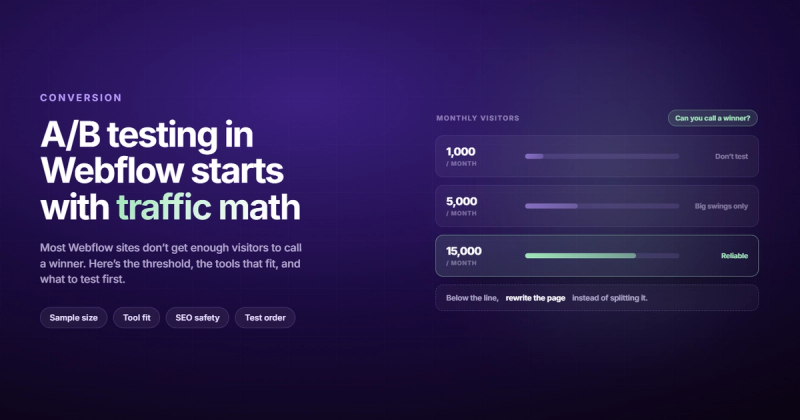
You need a lot more traffic than you think to get a meaningful result from a split test.
If your page gets 500 visits a month and converts at 3%, you're seeing about 15 conversions. To detect a 20% improvement in that conversion rate (from 3% to 3.6%) with 95% statistical confidence, you need roughly 4,000 visitors per variant. That's 8,000 total. At your current traffic, that test takes 16 months to complete. By then, your offer, your market, and your design will all have changed.
A/B testing isn't something you do when your site isn't converting. It's what you do after you've fixed the obvious problems and you need 5% more from a page that's already working. If you're getting 200 visitors a month, go get more traffic first.
The general threshold: you need at least 1,000 conversions per variant for a reliable result using standard statistical methods. If that sounds impossible, consider running user research or heatmaps first: they give you qualitative signal without the traffic requirement.
Still with me? Good. Here are the tools worth knowing about.
Webflow A/B testing tools compared
Your options fall into three categories: Webflow's own Optimize add-on, native Webflow marketplace apps, and external tools connected via script embed.
| Tool | Starting Price | Integration | Best For |
|---|---|---|---|
| Webflow Optimize | $299/month | Native (no code) | Teams on Enterprise plans |
| Optibase | Free / $79/month | Native Webflow App | Small to mid-size Webflow sites |
| PostHog | Free (up to 1M events) | Script embed | Developer-friendly setups |
| VWO | $199/month | Script embed | Full CRO suites with heatmaps |
| GA4 (manual) | Free | Tag Manager + custom events | Zero budget, high tolerance for setup pain |
Webflow Optimize
Webflow's own A/B testing product runs directly inside the Designer. No embed codes, no page flicker, no dependency on a third-party vendor. You create variants, define goals, and set traffic splits without touching code.
The catch is price. Webflow Optimize starts at $299/month and only makes sense if you're running tests frequently on pages with serious conversion volume. For most small agencies and early-stage products, that's hard to justify.
If you're on Webflow Enterprise and your marketing team runs tests every week, it's worth it for the reduction in friction alone. Otherwise, look at Optibase.
Optibase
Optibase is a native Webflow app: it lives in your Webflow dashboard and connects to your site without you touching embed code. You duplicate a page to create a variant, define a conversion event, set a traffic split, and let it run.
The free tier is limited but sufficient to run your first test and validate whether A/B testing makes sense for your setup. Paid plans start at $19/month and cap at $79/month for most use cases.
It's my starting recommendation for most Webflow sites. Low setup friction, native integration, no feature bloat. It does one thing well.
PostHog
PostHog is a developer-first analytics product that does A/B testing, feature flags, session recordings, and heatmaps. The free tier covers 1 million events per month before you see a bill, which is enough for most sites starting out.
Setup requires adding a script in Webflow's site settings, then tracking conversion events through PostHog's SDK. More work upfront, but the reporting depth is worth it if you're already using PostHog for analytics. PostHog has a dedicated Webflow A/B testing tutorial if you want the step-by-step.
VWO
VWO is a full conversion optimization suite: A/B testing, multivariate tests, heatmaps, session recordings, surveys. It works with Webflow via script embed and requires no developer involvement for basic tests.
Pricing starts around $199/month and the interface takes some getting used to. I'd reach for VWO if you're running a high-traffic e-commerce or lead generation site with ongoing test volume. Not as a starting point.
GA4 (the option that costs you time instead of money)
You can technically track A/B test results using GA4 and Google Tag Manager: publish two different URLs, track conversions on each, compare manually. It works. It's also slow, brittle, and gives you no actual traffic splitting: you'd have to direct users to each variant manually or through a redirect rule.
If budget is genuinely zero, this is an option. Just count the hours before calling it free.
How to run a Webflow A/B test (step by step)
This walkthrough uses Optibase, but the logic applies to any tool. The terminology changes; the steps don't.
- Define your hypothesis before you build anything. "I want to test a different headline" is not a hypothesis. "Changing the headline from feature-focused to outcome-focused will increase form submissions because visitors care about what they get, not how it works" is. Write it down.
- Install Optibase from the Webflow Apps Marketplace. Connect it to your site. It handles script injection automatically.
- Create your variant. Duplicate your page. The original is the control (A), the duplicate is the variant (B). Make exactly one change. Changing three things at once means you won't know which change moved the needle.
- Set your conversion goal. Pick a specific action: a form submission, a button click, a thank-you page view. Define it before the test starts. Changing the goal mid-test invalidates the results.
- Set your traffic split. 50/50 is standard. A 90/10 split is an option if you're worried about showing a risky variant to most of your traffic, but it extends the test duration significantly.
- Set a minimum duration. Run the test for at least two full weeks regardless of what the early numbers look like. The first few days are almost always noise: your weekend traffic behaves nothing like your Monday traffic.
- Wait for statistical significance. Don't stop the test manually when you see a number you like. Let Optibase's confidence indicator reach 95% before calling it. Early stopping is how you ship changes that don't actually work.
When the test ends, implement the winning variant and design the next test. One and done isn't a testing program: it's luck.
What to test first
The instinct is to test everything. The right move is to test whatever has the most leverage first.
Your headline and value proposition have the highest impact per visitor because they determine whether someone reads the rest of the page. If your headline doesn't land, nothing below it gets seen. Start there.
After that, the typical priority order:
- Primary CTA: button text, button placement, above-the-fold vs. below
- Hero section layout: form above the fold vs. below, image vs. no image
- Social proof placement: testimonials near the top vs. after the pitch
- Pricing presentation: annual billing as default vs. monthly, feature list vs. outcome list
- Form length: fewer fields almost always convert better, but test it on your specific audience
Don't test visual micro-details (button border radius, font weight, icon style) until you've tested meaningful strategic variants. Micro-optimizations are where testing programs go to burn out.
Before you start testing, it's worth asking whether your page is doing the fundamentals correctly. A CRO audit often uncovers structural problems that no amount of testing will fix, and fixing those first gives your tests a cleaner baseline to work from. For landing pages specifically, understanding what makes a landing page experience good is a prerequisite to knowing what's worth testing.
Does A/B testing hurt your Webflow SEO?
This comes up constantly. The short answer: no, if you do it correctly.
Google is explicit about A/B testing: they understand that websites run experiments and won't penalize you for split testing, as long as you're not cloaking: showing Google different content than you show users. If both variants are publicly accessible and you're splitting traffic randomly, you're fine.
The setup that avoids SEO issues: use a testing tool that serves the variant as a JavaScript overlay on the original URL rather than publishing a second page at a different slug. Optibase does this. Webflow Optimize does this. Both mean there's no second URL for Googlebot to find, and no duplicate content problem to solve.
If you publish a second page and redirect users to it, you need a canonical tag pointing the variant URL back to the original. This tells search engines the original page is the authoritative version. Google's documentation on consolidating duplicate URLs walks through this in detail.
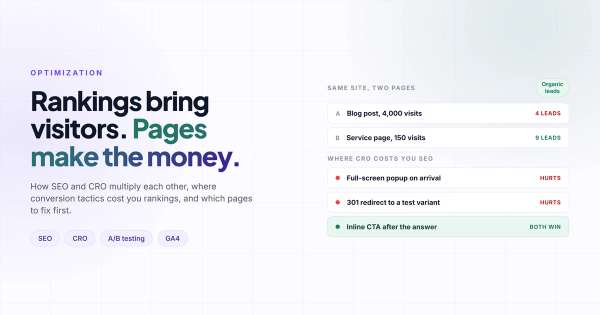
One practical note: avoid running tests on pages that are driving significant organic traffic. Your money-keyword pages aren't ideal testing playgrounds. Start with paid traffic landing pages or direct traffic pages: lower SEO risk, and the traffic is often more predictable too. If SEO traffic is important to your site, the full SEO checklist covers the technical fundamentals before you layer conversion testing on top.
And if you're concerned about page speed, most JavaScript-based testing tools add a small overhead. Webflow Optimize is the exception: it injects variants before the page renders, which eliminates the content flash you sometimes see with third-party tools.
Mistakes that waste months of test data
The most common one: stopping a test early because the numbers look good.
If you run a test for four days and see variant B converting at 7% vs. variant A at 4%, it's tempting to declare a winner and ship. But four days of data is almost never enough. Small sample sizes produce wildly variable results: the same test run next week might show the opposite. This is called the "peeking problem," and VWO has documented it extensively with real test data showing how often early leaders turn out to be flukes.
The second mistake: testing a page that barely gets traffic. If your page is converting 10 people a month, a test won't tell you anything reliable for at least a year. Use heatmaps and user sessions to gather qualitative signal instead.
Third: making multiple changes to the variant. One change, one test. Otherwise you're running a multivariate test with the wrong tool and the wrong sample size.
Frequently asked questions
Does Webflow have built-in A/B testing?
Not in the standard plans. Webflow Optimize, launched in 2024, adds native A/B testing and personalization, but it starts at $299/month and is available on higher-tier plans only. For most Webflow sites, a native app like Optibase is the practical starting point.
What's the difference between A/B testing and multivariate testing?
A/B testing compares two versions of a page (or tests one variable at a time). Multivariate testing tests multiple elements simultaneously: three headline variants and two CTA variants running at the same time, for example. Multivariate testing requires dramatically more traffic to reach statistical significance. Start with A/B testing.
How long should I run a Webflow A/B test?
Two full weeks minimum. Weekly traffic patterns matter: your Monday visitors behave differently from your Saturday visitors. Many tests need four to eight weeks to accumulate enough conversions for confidence. If a test is still inconclusive after eight weeks, the effect is probably too small to be worth acting on.
Can I A/B test Webflow CMS collection pages?
Yes, but it's more complex. CMS collection pages are dynamically generated, which limits per-item variant control. Your most practical option is testing the collection template: changes apply across all items in the collection. For testing individual CMS items, you'd need a custom development approach.
Will A/B testing slow down my Webflow site?
Third-party tools that inject via JavaScript can cause a brief flash where visitors see the original content before the variant loads. This affects your Core Web Vitals CLS score. Webflow Optimize avoids this by serving variants before the page renders. For third-party tools, the impact is usually small but worth monitoring in your Web Vitals dashboard.
What's a realistic improvement to expect from a split test?
Most successful tests produce improvements in the 5–20% range. If your tool is reporting 200%+ gains after three days, check your setup first: tracking errors are common. Also, make sure your success metric actually maps to revenue. More form submissions from people who never buy isn't a win.
Comments