
A client came to me after a year of blogging every single week. Good topics, decent writing, zero movement in the rankings. The audit took one afternoon: more than 400 pages still carried a noindex tag left over from the staging site. A full year of work, and every page had been politely telling Google not to look.
A technical SEO checklist is the list of things that decide whether Google can find your pages, read them and keep them in its index: crawling, indexing, rendering, mobile parity, speed, site structure and HTTPS. Content decides whether a page deserves to rank. Technical SEO decides whether it ever gets the chance.
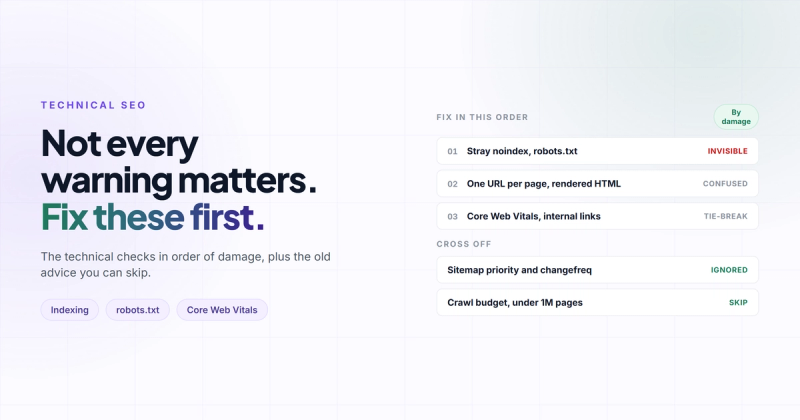
Most checklists hand you forty items in one flat list, as if a missing breadcrumb and a sitewide noindex were the same size of problem. They aren't. This one is ordered by blast radius: the things that make pages invisible first, the things that confuse Google second, the tie-breakers last. Then a short list of advice you can stop following, because a surprising amount of what still gets repeated was retired by Google years ago.
Think of Google as a librarian, not a judge
Everyone pictures Google as a judge reading every page and handing out scores. It's closer to a librarian running a building with more books than anyone could ever shelve. (Google's own docs call the web "a nearly infinite space". They're not exaggerating for effect.)
Before your page can be recommended to anyone, four things have to happen in order:
- Crawl: the book gets delivered to the library. Googlebot finds the URL and downloads it.
- Render: the librarian opens it. Google runs your JavaScript and sees what the page actually shows.
- Index: the book gets a card in the catalogue, filed under the topics it covers.
- Rank: a reader asks a question and the librarian decides which cards to pull. This is the step everyone argues about, and it's the only one content can win.
Every item on a technical SEO audit checklist maps to one of the first three steps. If a step fails, everything after it fails too. A brilliant book with no catalogue card is, as far as the library is concerned, a box of paper in the basement. That's why the order below matters more than the items themselves.

Tier 1: Can Google find and keep your pages?
These are the items that take traffic to zero. If you only have an hour, spend all of it here.
Hunt for stray noindex tags
Back to those 400 pages. Nobody did anything stupid. Staging sites are supposed to carry noindex, so half-finished pages don't end up in Google. Then launch day comes, the content gets moved over, and the one line that says "don't catalogue this" moves with it. WordPress has a whole checkbox for it ("Discourage search engines from indexing this site") that's very easy to forget is ticked.
In library terms, it's a sticky note on the cover that says "do not shelve". The librarian reads it, respects it, and moves on. Forever.
Check it two ways, because noindex can live in the HTML or in the server response:
<!-- in the page source -->
<meta name="robots" content="noindex">

# in the response headers
curl -I https://yoursite.com/blog/some-post
x-robots-tag: noindex
Then open Search Console, go to Pages, and look for "Excluded by 'noindex' tag". If a page you care about is on that list, you've found your problem, and it's a one-line fix.
Read your robots.txt like a lawyer
Here's the mistake that feels responsible and does the opposite. Someone wants a page out of Google, so they block it in robots.txt and add noindex for good measure. Belt and braces.
Except robots.txt stops Google from crawling a page, not from indexing it. If Googlebot isn't allowed in, it never reads the page, so it never sees the noindex. And if other sites link to that URL, Google can still index it from the outside, often with no description at all. Google says this in plain words in its documentation on blocking indexing:
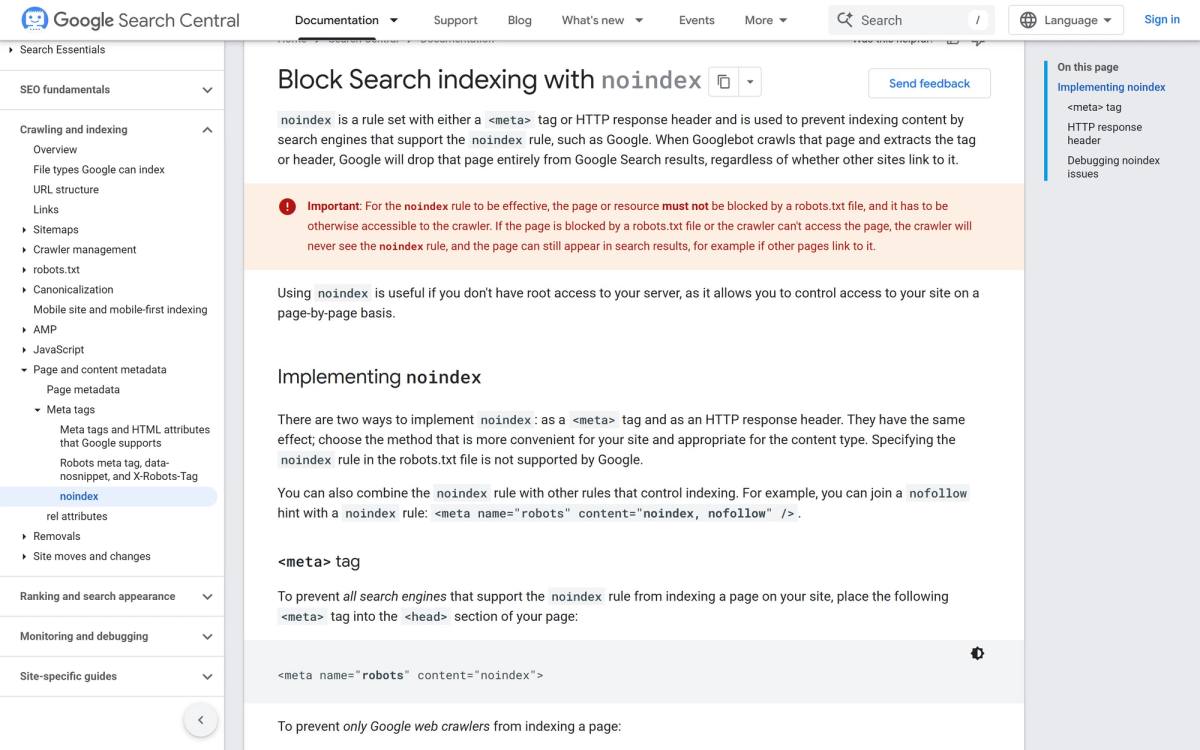
The librarian version: you've locked the loading dock, so the book never gets opened. But three other books mention it, so the librarian writes a card anyway, based on what everyone else says about it. Want a page out of search? Let Google crawl it and use noindex. Want to save crawling on junk URLs like internal search results? That's what robots.txt is for.
Read the Page indexing report, not the total
Search Console's Pages report is the closest thing you'll get to looking at the catalogue yourself. Ignore the big number at the top and read the reasons under "Why pages aren't indexed". "Page with redirect" and "Alternate page with proper canonical tag" are usually fine: those are pages you meant to keep out. "Crawled, currently not indexed" on your main service pages is not fine. Neither is a key URL under "Not found (404)".
Keep a sitemap that only lists pages you want indexed
Your sitemap is a list you hand the librarian saying "these are the books that matter". So it should contain only live, indexable, canonical URLs. No redirects, no 404s, no pages you've marked noindex. Each sitemap file can hold up to 50,000 URLs or 50 MB, and you submit it in Search Console. (If you're anywhere near that limit, you're not reading a checklist, you're hiring someone.)
Fix server errors and broken status codes
A page that returns a 5xx error when Googlebot visits is a book that fell apart in the delivery van. One bad day is fine. A pattern of them makes Google crawl you more slowly. Watch for soft 404s too: pages that say "not found" to people while telling Google everything's OK with a 200.
Tier 2: Is Google seeing the page you think it is?
Tier 1 is about whether the book gets catalogued. Tier 2 is about whether the right edition gets catalogued, with all its pages.
One version of every URL
To Google, http://site.com, https://site.com, https://www.site.com and https://www.site.com/ can be four different books with identical text. Pick one version, redirect everything else to it in a single hop, and give every page a self-referencing canonical tag. Redirect chains (A to B to C to D) are what's left behind after two redesigns and a domain change. Flatten them so every old URL points straight at its final home.
Check the rendered HTML, not your browser
I once spent an embarrassing amount of time debugging a React hydration error that turned out to be caused by a browser extension. It was injecting attributes into the page, so what my browser showed didn't match what the server sent. Nothing to do with my code.
Same lesson here, flipped around. Your browser is a contaminated test. It has extensions, cookies, a logged-in session and a warm cache. Googlebot has none of those. Open URL Inspection in Search Console, run a live test, and look at the rendered HTML Google actually got. If your product descriptions load from an API call that fails for bots, or your main content only appears after a click, it isn't on the catalogue card.
Mobile is the only edition Google reads
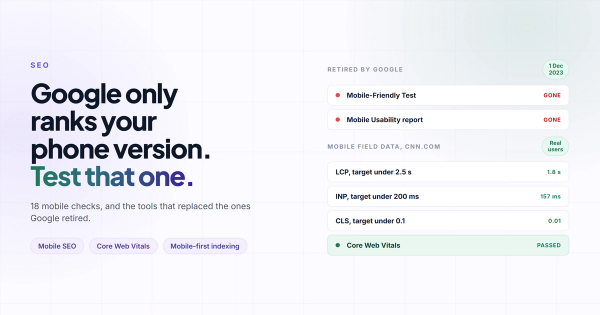
Since July 2024, Google crawls every site with its smartphone crawler. The desktop version of your site is, for indexing purposes, a collector's edition nobody opens. Text, links and structured data that exist on desktop but get stripped from mobile effectively don't exist. The mobile SEO checklist goes through this item by item; for now, open your three most important pages on an actual phone and compare them with desktop, section by section.
HTTPS everywhere, including the images
Google has used HTTPS as a ranking signal since 2014, and browsers flag pages without it as "Not secure". Most sites have the certificate. Fewer have checked for old http:// image and script URLs hard-coded into posts from 2019, which is mixed content and still triggers warnings. This one is boring and quick. Do it anyway.
Tier 3: Speed, structure and the tie-breakers
These matter. They matter less than Tiers 1 and 2, and most audit tools put them at the top anyway, because they're the easiest things to measure and turn into a score.
Core Web Vitals: pass the field data, then stop
Three metrics, and Google publishes the thresholds on web.dev:
| Metric | What it measures | Good |
|---|---|---|
| LCP (Largest Contentful Paint) | How fast the main content shows up | 2.5 s or less |
| INP (Interaction to Next Paint) | How fast the page reacts when someone taps or clicks | 200 ms or less |
| CLS (Cumulative Layout Shift) | How much things jump around while loading | 0.1 or less |
The part people skip: these are measured at the 75th percentile of real visits, on mobile and desktop separately. So the number that counts is the field data box at the top of PageSpeed Insights ("what your real users are experiencing"), not the Lighthouse score underneath it. Get the field data green and move on. Chasing a Lighthouse 100 is a perfectly good hobby. It just isn't a ranking strategy. If your site feels slow but the scores look fine, here's why that happens.
Internal links and orphan pages
An orphan page is in your sitemap but nothing on your site links to it. You've told Google the book exists and then put it on a shelf in an empty room. Internal links are how Google finds pages and how it works out which ones you think matter most. Rule of thumb: anything that makes you money should be reachable within three clicks of the homepage, with link text that says what's on the other side.
Structured data, with honest expectations
Schema markup (Organization, Article, BreadcrumbList, Product, LocalBusiness) helps Google file your page under the right drawer. It does not guarantee the fancy search result. FAQ rich results are the clearest example: since August 2023, Google shows them almost only for well-known government and health sites. Add the schema because it helps Google read the page. Don't add it expecting dropdowns under your listing. (This post has FAQ schema too. I'm not holding my breath either.)
Technical SEO advice you can cross off
Half of technical SEO is knowing what to fix. The other half is knowing what to ignore. Every one of these still shows up in checklists in 2026:
| Still repeated | What's actually true |
|---|---|
| Set priority and changefreq in your sitemap | Google ignores both. It uses lastmod, and only if it's consistently accurate. |
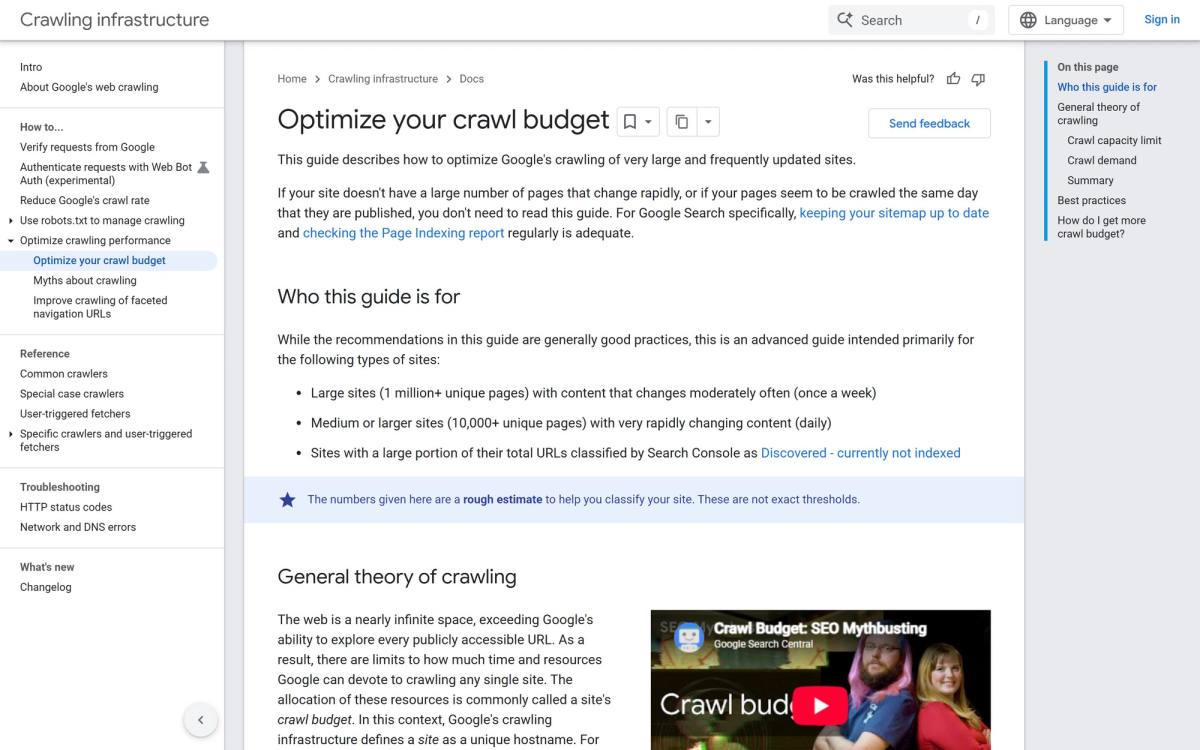
| Optimise your crawl budget | Google's guide is written for sites with 1 million+ pages, or 10,000+ pages changing daily. |
| Block a page in robots.txt to hide it | That blocks crawling, not indexing. Use noindex and let Google crawl it. |
| Run Google's Mobile-Friendly Test | Retired in December 2023. Use Lighthouse and a real phone. |
| Improve your First Input Delay | FID was replaced by INP as a Core Web Vital in March 2024. |
| Add FAQ schema to win rich results | Since August 2023, shown almost only for authoritative government and health sites. |
Crawl budget deserves a special mention, because it's the one that sells the most audits. Google's crawl budget guide opens by telling most people to close the tab:
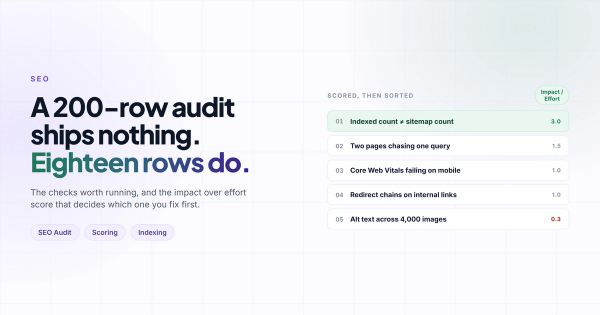
And one that isn't in the table because no one says it out loud: your audit tool's health score is not the checklist. A tool gives a missing alt attribute and a sitewide noindex the same red badge, then adds them up. Its job is to find things. Your job is to rank them by how much they cost you.
How to run this checklist in one afternoon
You don't need an enterprise tool for a site under a few hundred pages. You need Search Console, a free crawler and some patience.
- Search Console, Pages report. Read every reason under "Why pages aren't indexed" and write down any URL you actually care about. Twenty minutes.
- Open robots.txt and your sitemap in a browser. Make sure robots.txt isn't blocking anything important, and that the sitemap lists only live pages you want indexed.
- Crawl the site with Screaming Frog. The free version handles 500 URLs, which covers most small business sites. Filter for noindex, non-200 status codes, redirect chains and missing canonicals, then compare the crawled URLs with your sitemap to spot orphans.
- URL Inspection on one page per template. Homepage, a service page, a blog post, a product page. Check that indexing is allowed and that the rendered HTML contains your real content.
- PageSpeed Insights on the same pages. Field data first. Ignore the Lighthouse score until the field data is green.
- Sort what you found by tier. Fix every Tier 1 problem before you touch anything in Tier 3, no matter how loudly the tool complains about image sizes.
If the afternoon turns up more than you want to fix yourself, here's what a technical SEO audit service should actually include, so you can tell a real one from a PDF of tool output. And once the technical side is clean, the broader SEO checklist covers the content and on-page work that does the ranking.
FAQ
What is a technical SEO checklist?
It's a list of the site-level checks that decide whether search engines can crawl, render and index your pages: robots.txt, noindex tags, sitemaps, status codes, canonical URLs, mobile parity, HTTPS, Core Web Vitals and internal linking. What you write is a separate list; this one decides whether Google can get to it.
How often should you run a technical SEO audit?
Do a full pass once or twice a year, and always after a redesign, a migration or a CMS change, because that's when staging settings and broken redirects sneak in. In between, check Search Console's Pages report once a month. It takes five minutes and catches most Tier 1 problems early.
What's the difference between technical SEO and on-page SEO?
Technical SEO is about the site: can Google reach, read and index the pages. On-page SEO is about each page: titles, headings, content and how well it answers the search. A page can have perfect on-page SEO and still be invisible if a technical problem keeps it out of the index.
Does technical SEO matter for small websites?
Yes, but a smaller list of it matters. A 30-page site doesn't need to worry about crawl budget or log file analysis. It absolutely needs to make sure nothing is noindexed by accident, the sitemap is clean, there's one version of every URL, and the mobile version shows the same content as desktop.
What tools do you need for a technical SEO audit?
Google Search Console and PageSpeed Insights are free and come straight from Google, so start there. Add a crawler such as Screaming Frog (free up to 500 URLs) to find broken links, redirect chains and stray noindex tags across the whole site. Paid suites like Semrush or Ahrefs are useful for bigger sites, but they don't see anything Search Console hides from you.
Can I do technical SEO myself?
Most of Tier 1 and Tier 2, yes, if you're comfortable in Search Console and your CMS settings. Where it gets harder is JavaScript rendering, large migrations and server configuration. That's usually where it's cheaper to bring in someone who does technical SEO every week than to learn it on a live site.
Write the book, then make sure it gets a card
That client's 400 posts weren't bad. Some of them were genuinely good. They were well-written books with a sticky note on every cover that said "do not shelve", and the librarian did exactly what the note asked.
Most technical SEO is like that. It's not glamorous, it doesn't need a new tool, and nobody will compliment you on a clean robots.txt. But it's the difference between content that compounds and content that sits in the basement. Run Tier 1 this week. Peel the notes off first. Then go write the next book.
Comments